Hybrid scheme Kerberos Protocol Public-key: nice solution for key - - PowerPoint PPT Presentation

hybrid scheme kerberos protocol
SMART_READER_LITE
LIVE PREVIEW

Hybrid scheme Kerberos Protocol Public-key: nice solution for key - - PowerPoint PPT Presentation

Hybrid scheme Kerberos Protocol Public-key: nice solution for key distribution, but Motivation : In a multi-national company, its computational expensive distributed information services are usually maintained by various business units


slide-1
SLIDE 1

1

1

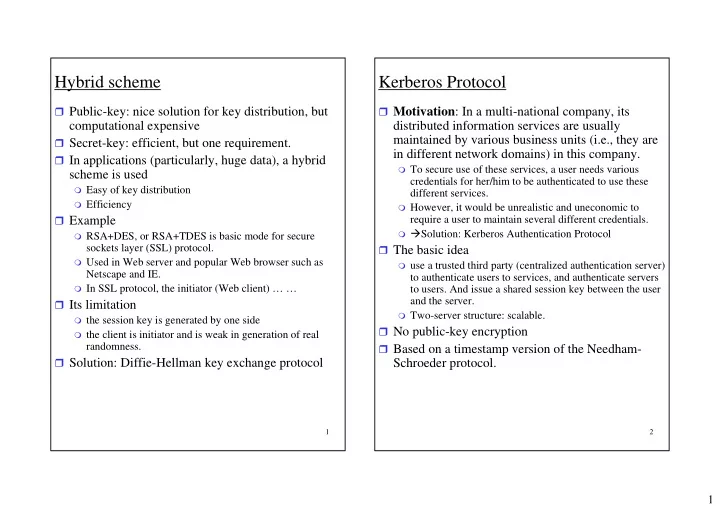
Hybrid scheme

Public-key: nice solution for key distribution, but

computational expensive

Secret-key: efficient, but one requirement. In applications (particularly, huge data), a hybrid

scheme is used

Easy of key distribution Efficiency

Example

RSA+DES, or RSA+TDES is basic mode for secure

sockets layer (SSL) protocol.

Used in Web server and popular Web browser such as

Netscape and IE.

In SSL protocol, the initiator (Web client) … …

Its limitation

the session key is generated by one side the client is initiator and is weak in generation of real

randomness. Solution: Diffie-Hellman key exchange protocol

2

Kerberos Protocol

Motivation: In a multi-national company, its

distributed information services are usually maintained by various business units (i.e., they are in different network domains) in this company.

To secure use of these services, a user needs various

credentials for her/him to be authenticated to use these different services.

However, it would be unrealistic and uneconomic to

require a user to maintain several different credentials.

Solution: Kerberos Authentication Protocol

The basic idea

use a trusted third party (centralized authentication server)

to authenticate users to services, and authenticate servers to users. And issue a shared session key between the user and the server.

Two-server structure: scalable.

No public-key encryption Based on a timestamp version of the Needham-

Schroeder protocol.

slide-2
SLIDE 2

2

3

Needham-Schroeder protocol

  • Client initiates a request to Authentication server

(AS)

  • AS provides a “ticket-granting” service by issuing

a session key, and delivers the session key in two “ticket” messages.

  • With the tickets, client can ask the server for

service.

  • Problem:
  • User C may access services many times after login.
  • User C need a new ticket for every different service.
  • Ticket-granting server (TGS) in Kerberos
  • Three sub-protocols in Kerberos
  • The Authentication Service Exchange (AS Exchange).
  • Once per user logon session
  • The Ticket-Granting Service Exchange (TGS

Exchange).

  • Once per type of service
  • The Client/Server Authentication Application Exchange

(AP Exchange).

4

Kerberos protocol

  • Two Key Distribution Centers (KDC): AS, TGS.
  • Two types of tickets: ticket-granting ticket (TGT),

service-granting ticket (SGT).

  • AS Exchange
  • 1. Client C requests a TGT (on behalf of the user U) by

sending its user’s ID and TGS ID to AS.

  • 2. AS replies with a encrypted TGT, which is used by

the client C later in a TGS Exchange.

  • 2.1 When message arrives, C asks U for the password,

generates the key, and decrypt the incoming message.

  • TGT has two parts: one part is for the client; the other

part is for TGS.

  • Each part contains the session key to be shared between

C and TGS. Also, timestamp + lifetime.

  • Analysis
  • Encrypted: prevent modification
  • Timestamp + lifetime: avoid replay
  • Within its lifetime, C can reuse this TGT to ask for

service from particular TGS.

  • TGS Exchange
  • AP Exchange
slide-3
SLIDE 3

3

5

Kerberos protocol

  • AS Exchange
  • TGS Exchange
  • 3. C requests a SGT (on behalf of the user U) by

sending its user’s ID, Server S ID, and TGT to AS.

  • 4. TGS decrypts the TGT and verifies it (ID, lifetime).

Then issues a encrypted SGT to C.

  • SGT has the same structure as TGT.
  • Each part contains another session key to be shared

between C and S. Also, timestamp + lifetime.

  • AP Exchange
  • 5. C requests access to a service (on behalf of the user

U), with User ID, and the SGT.

  • Why two Key Distribution Centers: AS and TGS?
  • User doesn’t need to reenter password for different
  • services. (binding password to a TGT)
  • Application servers belong to different network

domains, organized by different TGS in different

  • domains. Similarly, a fixed user may use one fixed AS.

In this protocol, this user can be served by many TGSs and as a result, can be severed by a large number of application servers.

6

Web security

Threats

Integrity

  • modification of user data, memory loss of

information.

  • Encryption checksums

Confidentiality

  • Steal info from client, server, Net loss of privacy.
  • Encryption

Denial of service

  • Killing of user threads, flooding machine with huge

number of requests, filling up disk or memory prevent user from getting work done

  • Difficult to prevent

Authentication

  • Pretend to be a different one belief in false

information

  • Authentication protocols, using encryption

techniques.

Another way to classify Web security threats: location of

threat

Web server Web browser Network traffic between browser and server.

Computer system security

slide-4
SLIDE 4

4

7

Web traffic security approaches

IP Security (IPSec)

secure network from unauthorized monitoring network

traffic, and secure computer-to-computer traffic

authentication and encryption mechanisms contained in IPv6, and can be used in IPv4. Benefits of IPSec

  • Transparent to applications, end users.
  • Provides a filtering capability
  • A general-purpose solution

Another relative general-purpose solution: security

just above TCP

Transport Layer Security (TLS) (or Secure Sockets Layer

SSL)

Two implementation choices

  • Part of the underlying protocol suite transparent to

applications

  • Embedded in specific packages.
  • Ex: Web browser is equipped with SSL, Web server

implements the protocol.

Application-specific security services

For particular application, satisfy the specific needs of a

given application.

S/MIME for e-mail application; SET for Web security.

8

Transport Layer Security (TLS)

Supported by most Web browsers, Web servers. It

is widely used to secure HTTP interactions such as Internet commerce, and other security-sensitive applications.

FTP, Telnet, and so on. Two main features:

Negotiable encryption and authentication

algorithms

Bootstrapped secure communication

Two layers

TLS Record Protocol TLS Handshake Protocol

SSL Session vs. SSL Connection

A SSL session is an association between a client

and a server. Sessions are created by Handshake Protocol.

A SSL connection is similar to TCP connection.

Every connection is associated with one session.

Usually, there is one session between two

parties, and there may be multiple secure connections between them.

slide-5
SLIDE 5

5

9

Transport Layer Security (TLS)

Parameters in a session state

Session ID: an arbitrary byte sequence chosen by the

server.

Certificates: may be null Compression method: i.e. Zip; compress data before

encryption

CipherSpec: encryption algorithm (such as null, DES,

etc.), a hash algorithm (such as SHA-1, MD5) for MAC calculation.

Master secret: 48-byte secret shared between client and

server. Parameters in a connection state

Server and client random: chosen for each connection MAC secret at Server side: the secret key is used in MAC

  • perations on data

MAC secret at Client side Server write key: conventional encryption key Client write key Initial vectors: when a block cipher in CBC mode is used

1

TLS Record Protocol

Runs on top of a connection-oriented protocol:

TCP;

provides two services for SSL connections

confidentiality, integrity. Keys for symmetric encryption and keys used to form

MAC are generated by the TLS Handshake Protocol. Input: a message to be transmitted. Its operations: fragment data into blocks; compress

data (optionally); apply a MAC for data-integrity; encrypt for confidentiality; append SSL record header; and transmit the result to the receiving process.

Content Type (8 bits): indicates the higher-layer protocol Major Version (8 bits): Minor Version (8 bits): Compressed length (16 bits): length in bytes of

compressed message. At the receiving side, it receives cipher data blocks,

decrypts them, verifies the MAC, optionally decompressed, reassembles the blocks and delivers the result to higher level application processes.

slide-6
SLIDE 6

6

1 1

The TLS Handshake Protocol

Its operations

allows the server and client to authenticate each other negotiate encryption and MAC algorithms, agree on keys for the TLS Record Protocol. May be invoked to change the specification of a secure

channel. The Handshake protocol is used before transmitting

application data.

During Handshake Protocol, pending states are

  • created. After successfully executing one

Handshake Protocol, the pending states become the current states.

Client Server ClientHello ServerHello Certificate Certificate Request ServerHelloDone Certificate Certificate Verify Change Cipher Spec Finished Change Cipher Spec Finished Establish protocol version, session ID, cipher suite, compression method, exchange random values

Optionally send server certificate and

request client certificate

Send client certificate response if

requested Change cipher suite and finish handshake

1 2

The TLS Handshake Protocol

Phase 1: Hello message exchange, or

security capabilities establishment.

protocol_version: the highest SSL version

understood by the client;

Random: generated by client

  • consists of a 32-bit timestamp and 28 bytes generated

by a secure random number generator;

  • Used for key exchange to prevent replay attacks

session_id

  • non-zero value: update the parameters of an existing

connection or create a new connection on this session

  • Zero value: establish a new connection on a new

session

cipher_suites: a list of combinations of key

exchange algorith, encryption algorithm, MAC algorithm, supported at client side, sorted with the client’s preference

  • Each element defines a key exchange algorithm and a

CipherSpec

compression_methods

  • A list of compression methods supported by the client

ServerHello

session_id cipher_suite: single cipher suite selected by server Compression_method: selected by server

slide-7
SLIDE 7

7

1 3

The TLS Handshake Protocol

Phase 2: Server Authentication and Key

Exchange

Server sends its certificates to client;

  • A certificate contains information about the name and

the public key (depend on algorithm) of server, and the issuing certification authority.

  • Sending a list of certificates allows the client to

choose one with its public-key algorithm supported at the client’s computer.

server-key-exchange message may be sent if

there is no key-exchange information in certificates.

Certificate-request message includes two

parameters

  • Certificate_type: indicate the public-key algorithm
  • Certificate_authorities: a list of names of acceptable

certificate authorities

server_hello_done message:

  • indicate the end of the server hello and associated

messages.

  • After sending it, the server will wait for a client

response.

  • No parameters

1 4

The TLS Handshake Protocol

Phase 3: Client Authentication and Key

Exchange

certificates to server;

  • If the server has requested a certificate.
  • If no suitable certificate, sends a no_certificate

message.

client-key-exchange message.

  • Must be sent
  • Secret encrypted with public-key provided by server,
  • r key generated from random number

Certificate_verify message:

  • If client sends a certificate
  • used by the server to explicitly verify the client’s

certificate.

Phase 4: Finish Message Exchange

This phase completes the setting up of a secure

connection.

The client sends a change-cipher-spec message and copies

the pending CipherSpec into the current CipherSpec. Then sends the finished message with the new algorithms, keys, and secrets.verify the success of key exchange and authentication

Similar at the server side. At this point, the handshake is complete, and the client,

server can exchange application layer data.