Declaring Array Variables Chapter 6 Arrays datatype[] arrayRefVar; - - PDF document

declaring array variables chapter 6 arrays
SMART_READER_LITE
LIVE PREVIEW

Declaring Array Variables Chapter 6 Arrays datatype[] arrayRefVar; - - PDF document

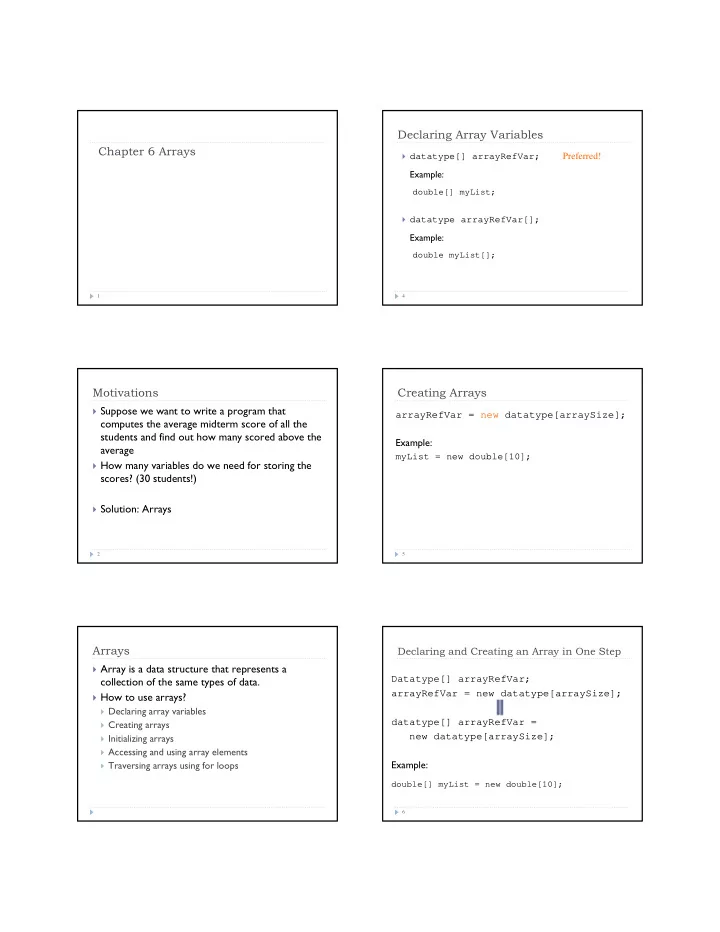
Declaring Array Variables Chapter 6 Arrays datatype[] arrayRefVar; Preferred! Example: double[] myList; datatype arrayRefVar[]; Example: double myList[]; 1 4 Motivations Creating Arrays Suppose we want to write a program that


slide-1
SLIDE 1

Chapter 6 Arrays

1

Motivations

2

 Suppose we want to write a program that

computes the average midterm score of all the students and find out how many scored above the average

 How many variables do we need for storing the

scores? (30 students!)

 Solution: Arrays

Arrays

 Array is a data structure that represents a

collection of the same types of data.

 How to use arrays?

 Declaring array variables  Creating arrays  Initializing arrays  Accessing and using array elements  Traversing arrays using for loops

Declaring Array Variables

4

 datatype[] arrayRefVar; Preferred!

Example:

double[] myList;

 datatype arrayRefVar[];

Example:

double myList[];

Creating Arrays

5

arrayRefVar = new datatype[arraySize]; Example:

myList = new double[10];

Declaring and Creating an Array in One Step

6

Datatype[] arrayRefVar; arrayRefVar = new datatype[arraySize]; datatype[] arrayRefVar = new datatype[arraySize]; Example:

double[] myList = new double[10];

slide-2
SLIDE 2

Default Values

7

 When an array is created, its elements are

assigned the default value:

 0 for the numeric primitive data types  (char)0 for char types  false for boolean types

Assigning Values to Array Elements

8

arrayRefVar[index] = expression; Example:

myList[0] = 5.6; myList[1] = 4.5; … myList[9] = 11123;

Inside Arrays

9 5.6 4.5 3.3 13.2 4 34.33 34 45.45 99.993 11123 double[] myList = new double[10]; myList reference myList[0] myList[1] myList[2] myList[3] myList[4] myList[5] myList[6] myList[7] myList[8] myList[9] Element value Array reference variable Array element at index 5

Array Initializers - Declaring, creating, initializing an array using one statement

10

double[] myList = {1.9, 2.9, 3.4, 3.5};

This shorthand notation is equivalent to the following statements:

double[] myList = new double[4]; myList[0] = 1.9; myList[1] = 2.9; myList[2] = 3.4; myList[3] = 3.5;

Note: this shorthand syntax must be in one statement

The Length of an Array

11

Once an array is created, its size is fixed. It cannot be

  • changed. You can find its size using

arrayRefVar.length

For example:

int[] numbers = new int[10]; int len = numbers.length; // 10

Accessing Array Elements

12

 The array elements are accessed through the

index.

 Each element in the array is represented using:

arrayRefVar[index]

 The array indices starts from 0 to array.length-1  Example: double[] myList = new double[10]; myList[0] = 5.6; myList[1] = 4.5; myList[10] = 3.33; //ArrayIndexOutOfBoundsException

slide-3
SLIDE 3

Using Array Elements

13

 Use elements in arrays as usual variables!!! int[] tmp = new int[10]; . . . System.out.println(“tmp[2]: ” + tmp[2]); tmp[9] = tmp[0] + tmp[2] + tmp[4]; System.out.println(“tmp[9]: ” + tmp[9]);

Example

14

double[] myList = new double[5]; myList[0] = 3.0; myList[1] = 4.5; myList[2] = 2.0; System.out.println(myList[2]); System.out.println(myList[4]);

myList

Example

15

double[] myList = new double[5]; myList[0] = 3.0; myList[1] = 4.5; myList[2] = 2.0; System.out.println(myList[2]); System.out.println(myList[4]);

myArray 3.0

Example

16

 Array is a data structure that represents a collection of the

same types of data.

double[] myList = new double[5]; myList[0] = 3.0; myList[1] = 4.5; myList[2] = 2.0; System.out.println(myList[2]); System.out.println(myList[4]);

myList 3.0

Example

17

double[] myList = new double[5]; myList[0] = 3.0; myList[1] = 4.5; myList[2] = 2.0; System.out.println(myList[2]); System.out.println(myList[4]);

myList 3.0 4.5

Example

18

double[] myList = new double[5]; myList[0] = 3.0; myList[1] = 4.5; myList[2] = 2.0; System.out.println(myList[2]); System.out.println(myList[4]);

myList 3.0 4.5

slide-4
SLIDE 4

Example

19

double[] myList = new double[5]; myList[0] = 3.0; myList[1] = 4.5; myList[2] = 2.0; System.out.println(myList[2]); System.out.println(myList[4]);

myList 3.0 4.5 2.0

Example

20

double[] myList = new double[5]; myList[0] = 3.0; myList[1] = 4.5; myList[2] = 2.0; System.out.println(myList[2]); System.out.println(myList[4]);

myList 3.0 4.5 2.0

Example

21

double[] myList = new double[5]; myList[0] = 3.0; myList[1] = 4.5; myList[2] = 2.0; System.out.println(myList[2]); System.out.println(myList[4]);

myList 3.0 4.5 2.0

Using for loops to process arrays

 Using for loops to traverse or process array elements

 Elements are of the same type and processed repeatedly  The size of the array is known

for (int i=0; i<myList.length; i++) { // process ith element myList[i] System.out.println(myList[i]); }

Enhanced for Loop (for-each loop)

23

for (double value: array) // for each value in array System.out.println(value);

Syntax:

for (elementType value: array) { // Process the value } int[] array = new int[5];

for (int i = 0; i < array.length; i++){ double value = array[i]; System.out.println(value); }  Traditional for loop  Generalized for loop

Common Array Processing

 Initializing array elements  Printing arrays  Summing all elements  Finding largest elements  Finding smallest index of the largest element  Shifting elements  Flipping elements  Counting occurrences

slide-5
SLIDE 5

Initialize array elements using for loop

Initialize an array with random values

for (int i=0; i<myList.length; i++) { myList[i] = Math.random() * 100; }

Another example of initializing arrays

public class Test { public static void main(String[] args) { int[] values = new int[5]; for (int i = 1; i < 5; i++) { values[i] = i + values[i-1]; } values[0] = values[1] + values[4]; } }

26

Trace Program with Arrays

public class Test { public static void main(String[] args) { int[] values = new int[5]; for (int i = 1; i < 5; i++) { values[i] = i + values[i-1]; } values[0] = values[1] + values[4]; } }

27

Declare array variable, create an array, and assign its reference to values

After the array is created 1 2 3 4

i=1, value[1] is 1 public class Test { public static void main(String[] args) { int[] values = new int[5]; for (int i = 1; i < 5; i++) { values[i] = i + values[i-1]; } values[0] = values[1] + values[4]; } }

Trace Program with Arrays

28

After the first iteration 1 2 3 4 1

i=2, value[2] is 3

After the second iteration 1 2 3 4 1 3

public class Test { public static void main(String[] args) { int[] values = new int[5]; for (int i = 1; i < 5; i++) { values[i] = i + values[i-1]; } values[0] = values[1] + values[4]; } }

Trace Program with Arrays

29

Trace Program with Arrays

30

i=3, values[3] = 6 (3 + 3)

After the third iteration 1 2 3 4 1 3 6

public class Test { public static void main(String[] args) { int[] values = new int[5]; for (int i = 1; i < 5; i++) { values[i] = i + values[i-1]; } values[0] = values[1] + values[4]; } }

slide-6
SLIDE 6

Trace Program with Arrays

31

i=4, values[4] = 10 (4 + 6)

After the fourth iteration 1 2 3 4 1 3 6 10

public class Test { public static void main(String[] args) { int[] values = new int[5]; for (int i = 1; i < 5; i++) { values[i] = i + values[i-1]; } values[0] = values[1] + values[4]; } }

Trace Program with Arrays

32

After this line, values[0] is 11 (1 + 10)

1 2 3 4 11 1 3 6 10

public class Test { public static void main(String[] args) { int[] values = new int[5]; for (int i = 1; i < 5; i++) { values[i] = i + values[i-1]; } values[0] = values[1] + values[4]; } }

Simple Array Algorithms: Counting Matches

 Problem: counting number of a particular item in an array  Algorithm:

 Initialize a counter  For each of the elements in the array

 Increase the counter when there is a match

 Example: counting number of As in a hand of cards

int count = 0; for (int i=0; i<myList.length; i++) { if (myList[i] == 1) count ++; }

Simple Array Algorithms: Finding the Maximum or Minimum

 Problem: finding the maximum/minimum  Algorithm:

 Initialize the current maximum/minimum with the starting

element

 For each of the remaining elements

 Update the current maximum/minimum with the element if it is

larger or smaller

int max = myList[0]; for (int i=1; i<myList.length; i++) { if (max < myList[i]) max = myList[i]; }

Simple Array Algorithms: Finding the smallest index of largest item

 Algorithm:

 Initialize current maximum with the starting element and the

index of current maximum with 0

 For each of the remaining elements

 Update current maximum and index if the element is larger

What happens if we use max <= myList[i] ?

int max = myList[0]; int indexOfMax = 0; for (int i=1; i<myList.length; i++) { if (max < myList[i]) { max = myList[i]; indexOfMax = i; } }

Simple Array Algorithms: computing the sum

 Problem: computing the sum of all elements in an array  Algorithm:

 Initialize the current sum with 0  For each of the elements

 Add the element to the sum

 How to compute the average?

int sum = 0; for (int i=0; i<myList.length; i++) { sum += myList[i]; }

slide-7
SLIDE 7

Analyzing Array Elements

 Write a program that:

 Receives 6 numbers from the user and place them in an array  Finds the largest number and count of the occurrences of this

number in the array

TestArray.java

37

Problem: Assigning Grades

 Objective: read student scores (int), get the best score,

and then assign grades based on the following scheme:

 Grade is A if score is >= best–10;  Grade is B if score is >= best–20;  Grade is C if score is >= best–30;  Grade is D if score is >= best–40;  Grade is F otherwise.

AssignGrades.java

38

Review Question

 If you declare an array double[] list = {3.4, 2.0, 3.5, 5.5}, list[1] is ________.

 A. 3.4  B. 2.0  C. 3.4  D. 5.5  E. undefined

39

Review Question

Analyze the following code:

int[] x = new int[5]; int i; for (i = 0; i < x.length; i++) x[i] = i; System.out.println(x[i]);

  • A. It displays 0 1 2 3 4.
  • B. It displays 4.
  • C. It has a runtime error because the last statement causes

ArrayIndexOutOfBoundsException.

  • D. It has a compile error because i is not defined in the last

statement in the main method.

40

Review: Array basics

 Array basics

 Declare an array  Create an array  Initialize an array  Traverse an array using for loops  Array processing algorithms

 Practice problems on textbook

 6.3, 6.4, 6.5, 6.9

41

Outline

 Copying arrays  Passing arrays to methods  Returning an array from methods  The Array class  Two dimensional arrays

slide-8
SLIDE 8

Inside Arrays

43 5.6 4.5 3.3 13.2 4 34.33 34 45.45 99.993 11123 double[] myList = new double[10]; myList reference myList[0] myList[1] myList[2] myList[3] myList[4] myList[5] myList[6] myList[7] myList[8] myList[9] Element value Array reference variable Array element at index 5

Copying Arrays

 Problem: duplicate an array or a part of an array

44

int list1 = new int[10]; int list2 = new int[10]; //copy list1 to list2 list2 = list1;

Copying Arrays

45

Using a loop:

int[] sourceArray = {2, 3, 1, 5, 10}; int[] targetArray = new int[sourceArray.length]; for (int i = 0; i < sourceArrays.length; i++) targetArray[i] = sourceArray[i];

The arraycopy method

46

System.arraycopy(sourceArray, src_pos, targetArray, tar_pos, length); Example: System.arraycopy(sourceArray, 0, targetArray, 0, sourceArray.length);

Review question

 In the following code, what is the printout for list2?

class Test { public static void main(String[] args) { int[] list1 = {1, 2, 3}; int[] list2 = {1, 2, 3}; list2 = list1; list1[0] = 0; list1[1] = 1; list2[2] = 2; for (int i = 0; i < list2.length; i++) System.out.print(list2[i] + " "); } }

  • A. 1 2 3
  • B. 1 1 1
  • C. 0 1 2
  • D. 0 1 3

47

Passing Arrays to Methods

48

public static void printArray(int[] array) { for (int i = 0; i < array.length; i++) { System.out.print(array[i] + " "); } } public static void main(String[] array) { int[] list = {3, 1, 2, 6, 4, 2}; printArray(list); }

slide-9
SLIDE 9

Pass By Value

 What is pass by value?  For a parameter of an array type, the value of the

parameter contains a reference to an array

 Any changes to the array that occur inside the method

body will affect the original array that was passed as the argument.

49

Simple Example

50

public class Test { public static void main(String[] args) { int x = 1; // x represents an int value int[] y = new int[10]; // y represents an array of int values m(x, y); // Invoke m with arguments x and y System.out.println("x is " + x); System.out.println("y[0] is " + y[0]); } public static void m(int number, int[] numbers) { number = 1001; // Assign a new value to number numbers[0] = 5555; // Assign a new value to numbers[0] } }

Call Stack

 When invoking m(x, y), the values of x and y are passed

to number and numbers

 y contains the reference value to the array!

51

Space required for the main method int[] y: int x: 1 Stack Space required for method m int[] numbers: int number: 1 reference The arrays are stored in a heap. Heap reference

Call Stack

52

Space required for the main method int[] y: int x: 1 Stack Space required for method m int[] numbers: int number:1001 reference 5555 The arrays are stored in a heap. Heap reference

Returning an Array from a Method

53

public static void main(String[] args) { int[] list1 = new int[]{1, 2, 3, 4, 5, 6}; int[] list2 = reverse(list1); } public static int[] reverse(int[] list) { int[] result = new int[list.length]; for (int i = 0; i < list.length; i++) { result[result.length – i - 1] = list[i]; } return result; }

Trace the reverse Method

54

int[] list1 = new int[]{1, 2, 3, 4, 5, 6}; int[] list2 = reverse(list1);

public static int[] reverse(int[] list) { int[] result = new int[list.length]; for (int i = 0; i < list.length; i++) { result[result.length – i - 1] = list[i]; } return result; }

list result

1 2 3 4 5 6

Declare result and create array

slide-10
SLIDE 10

int[] list1 = new int[]{1, 2, 3, 4, 5, 6}; int[] list2 = reverse(list1);

public static int[] reverse(int[] list) { int[] result = new int[list.length]; for (int i = 0; i < list.length; i++) { result[result.length – i - 1] = list[i]; } return result; }

Trace the reverse Method, cont.

55

list result

1 2 3 4 5 6

i = 0

public static int[] reverse(int[] list) { int[] result = new int[list.length]; for (int i = 0; i < list.length; i++) { result[result.length – i - 1] = list[i]; } return result; }

Trace the reverse Method, cont.

56

list result

1 2 3 4 5 6 1

i = 0 Assign list[0] to result[5] int[] list1 = new int[]{1, 2, 3, 4, 5, 6}; int[] list2 = reverse(list1);

public static int[] reverse(int[] list) { int[] result = new int[list.length]; for (int i = 0; i < list.length; i++) { result[result.length – i - 1] = list[i]; } return result; }

int[] list1 = new int[]{1, 2, 3, 4, 5, 6}; int[] list2 = reverse(list1);
Trace the reverse Method, cont.

57

list result

1 2 3 4 5 6 1

After this, i becomes 1

public static int[] reverse(int[] list) { int[] result = new int[list.length]; for (int i = 0; i < list.length; i++) { result[result.length – i - 1] = list[i]; } return result; }

int[] list1 = new int[]{1, 2, 3, 4, 5, 6}; int[] list2 = reverse(list1);

Trace the reverse Method, cont.

58

list result

1 2 3 4 5 6 1

i (=1) is less than 6

public static int[] reverse(int[] list) { int[] result = new int[list.length]; for (int i = 0; i < list.length; i++) { result[result.length – i - 1] = list[i]; } return result; }

int[] list1 = new int[]{1, 2, 3, 4, 5, 6}; int[] list2 = reverse(list1);

Trace the reverse Method, cont.

59

list result

1 2 3 4 5 6 2 1

i = 1 Assign list[1] to result[4]

public static int[] reverse(int[] list) { int[] result = new int[list.length]; for (int i = 0; i < list.length; i++) { result[result.length – i - 1] = list[i]; } return result; }

int[] list1 = new int[]{1, 2, 3, 4, 5, 6}; int[] list2 = reverse(list1);

Trace the reverse Method, cont.

60

list result

1 2 3 4 5 6 3 2 1

i = 2 Assign list[2] to result[3]

slide-11
SLIDE 11

public static int[] reverse(int[] list) { int[] result = new int[list.length]; for (int i = 0; i < list.length; i++) { result[result.length – i - 1] = list[i]; } return result; }

int[] list1 = new int[]{1, 2, 3, 4, 5, 6}; int[] list2 = reverse(list1);

Trace the reverse Method, cont.

61

list result

1 2 3 4 5 6 4 3 2 1

i = 3 Assign list[3] to result[2]

public static int[] reverse(int[] list) { int[] result = new int[list.length]; for (int i = 0; i < list.length; i++) { result[result.length – i - 1] = list[i]; } return result; }

int[] list1 = new int[]{1, 2, 3, 4, 5, 6}; int[] list2 = reverse(list1);

Trace the reverse Method, cont.

62

list result

1 2 3 4 5 6 5 4 3 2 1

i = 4 Assign list[4] to result[1]

public static int[] reverse(int[] list) { int[] result = new int[list.length]; for (int i = 0; i < list.length; i++) { result[result.length – i - 1] = list[i]; } return result; }

Trace the reverse Method, cont.

63

list result

1 2 3 4 5 6 6 5 4 3 2 1

i = 5 Assign list[5] to result[0] int[] list1 = new int[]{1, 2, 3, 4, 5, 6}; int[] list2 = reverse(list1);

public static int[] reverse(int[] list) { int[] result = new int[list.length]; for (int i = 0; i < list.length; i++) { result[result.length – i - 1] = list[i]; } return result; }

Trace the reverse Method, cont.

64

list result

1 2 3 4 5 6 6 5 4 3 2 1

After this, i becomes 6 int[] list1 = new int[]{1, 2, 3, 4, 5, 6}; int[] list2 = reverse(list1);

public static int[] reverse(int[] list) { int[] result = new int[list.length]; for (int i = 0; i < list.length; i++) { result[result.length – i - 1] = list[i]; } return result; }

int[] list1 = new int[]{1, 2, 3, 4, 5, 6}; int[] list2 = reverse(list1);

Trace the reverse Method, cont.

65

list result

1 2 3 4 5 6 6 5 4 3 2 1

i (=6) < 6 is false. So exit the loop.

Trace the reverse Method, cont.

66

list result

1 2 3 4 5 6 6 5 4 3 2 1

Return result

list2

public static int[] reverse(int[] list) { int[] result = new int[list.length]; for (int i = 0; i < list.length; i++) { result[result.length – i - 1] = list[i]; } return result; }

int[] list1 = new int[]{1, 2, 3, 4, 5, 6}; int[] list2 = reverse(list1);

slide-12
SLIDE 12

Review question

What does the following program print?

public class Test { public static void main(String[] args) { int[] oldList = {1, 2, 3, 4, 5}; int[] newList = reverse(oldList); for (int i = 0; i < oldList.length; i++) System.out.print(oldList[i] + " "); for (int i = 0; i < newList.length; i++) System.out.print(newList[i] + " "); } public static int[] reverse(int[] list) { int[] newList = new int[list.length]; for (int i = 0; i < list.length; i++) newList[i] = list[list.length - 1 - i]; list = newList; return newList; } }

67

The Arrays.sort Method

 How do we sort an array?  Java provides several overloaded sort methods in

java.util.Arrays class for sorting an array of int, float, double, char … in ascending order

public static void sort(int[] a)

public static void sort(double[] a)

public static void sort(char[] a)

 Example  Sorting and searching algorithms – next lecture

68

double[] numbers = {6.0, 4.4, 1.9, 2.9, 3.4, 3.5}; java.util.Arrays.sort(numbers); char[] chars = {'a', 'A', '4', 'F', 'D', 'P'}; java.util.Arrays.sort(chars);

Two-dimensional Arrays

69

Declare/Create Two-dimensional Arrays

70

// Declare array ref var dataType[][] array2D; // Create array and assign its reference to variable array2D = new dataType[10][10]; // Combine declaration and creation in one statement dataType[][] array = new dataType[10][10]; // Alternative syntax dataType refVar[][] = new dataType[10][10];

Accessing items in 2D array

71

int[][] matrix = new int[10][10]; matrix[0][0] = 3; for (int i = 0; i < matrix.length; i++) for (int j = 0; j < matrix[i].length; j++) matrix[i][j] = (int)(Math.random() * 1000);

Declaring, Creating, and Initializing Using Shorthand Notations

 You can also use an array initializer to declare, create and

initialize a two-dimensional array

72

int[][] array = new int[4][3]; array[0][0] = 1; array[0][1] = 2; array[0][2] = 3; array[1][0] = 4; array[1][1] = 5; array[1][2] = 6; array[2][0] = 7; array[2][1] = 8; array[2][2] = 9; array[3][0] = 10; array[3][1] = 11; array[3][2] = 12;

int[][] array = { {1, 2, 3}, {4, 5, 6}, {7, 8, 9}, {10, 11, 12} };

Same as

slide-13
SLIDE 13

Lengths of Two-dimensional Arrays

 int[][] x = new int[3][4]; 73

x x[0] x[1] x[2] x[0][0] x[0][1] x[0][2] x[0][3] x[1][0] x[1][1] x[1][2] x[1][3] x[2][0] x[2][1] x[2][2] x[2][3] x.length is 3 x[0].length is 4 x[1].length is 4 x[2].length is 4

Two-dimensional Array Illustration

74

0 1 2 3 4

7

0 1 2 3 4 1 2 3 4 1 2 3 4

matrix[2][1] = 7; matrix = new int[5][5];

3

7

0 1 2 1 2

int[][] array = { {1, 2, 3}, {4, 5, 6}, {7, 8, 9}, {10, 11, 12} };

1 2 3 4 5 6

8

9 10 11 12

array.length? array[0].length? matrix.length? matrix[0].length?

Ragged Arrays

 Each row in a two-dimensional array is itself an array. So,

the rows can have different lengths. Such an array is known as a ragged array. For example,

75

matrix.length is 5 matrix[0].length is 5 matrix[1].length is 4 matrix[2].length is 3 matrix[3].length is 2 matrix[4].length is 1

int[][] matrix = { {1, 2, 3, 4, 5}, {2, 3, 4, 5}, {3, 4, 5}, {4, 5}, {5} };

Ragged Arrays, cont.

76

1 2 3 4 5 int[][] triangleArray = { {1, 2, 3, 4, 5}, {2, 3, 4, 5}, {3, 4, 5}, {4, 5}, {5} }; 1 2 3 4 1 2 3 1 2 1 2

Problem: Grading Multiple-Choice Test

 Objective: write a program that grades multiple-choice

test.

77

GradeExam.java

Problem: Finding Two Points Nearest to Each Other

78

FindNearestPoints.java

  • 1 3
  • 1 -1

1 1 2 0.5 2 -1 3 3 4 2 4 -0.5 x y 1 2 3 4 5 6 7

slide-14
SLIDE 14

Review question

Assume double[][][] x = new double[4][5][6], what are x.length, x[2].length, and

x[0][0].length?

  • A. 4, 5, and 6
  • B. 6, 5, and 4
  • C. 5, 5, and 5
  • D. 4, 5, and 4

79

Practice problems

80

 Copying arrays

 6.11

 Passing arrays to and returning arrays from methods

 6.13

 Two-dimensional arrays

 6.27, 6.28

Lab7: Array Processing

 Reading a list of numbers  Computing and printing

 Max  Min  Mean  Median of the array  Number of elements smaller than and greater than a given

value

81

Hw4: Image (2-D Array) Processing

82

 An image is represented as a 2-dimensional array int[][]  Each element is an intensity value which can be converted

into three components: RGB

Provided Utilities in Image class

 public static int[][] loadImage(String imageFile)

 converts an image file to a 2-d array representing pixels of the

image

 public static void saveImage(int[][] array, String imageFile)

 saves a 2-d array representing pixels of the image to a file

 public static int[] colorToRGB(int pixel)

 converts each pixel value represented as a single integer to its

RGB representation, an array of three integers. Intensity of each color is represented as number in range 0-255, where 0 is the lowest intensity and 255 is the highest.

 public static int colorFromRGB(int[] rgb)

 Converts an array of three integers representing intensity of

red, green and blue to a single integer.

83

Your task

 Process the 2-dimensional array for cool image effects!

84

slide-15
SLIDE 15

Review Question

public class Test { public static void main(String[] args) { int[] x = {1, 2, 3, 4}; int[] y = x; x = new int[2]; for (int i = 0; i < x.length; i++) System.out.print(x[i] + " "); } }

  • A. The program displays 1 2 3 4
  • B. The program displays 0 0
  • C. The program displays 0 0 3 4
  • D. The program displays 0 0 0 0

Outline

 What we have covered so far

 Array basics  Copying arrays  Passing arrays to methods  Returning an array from methods  The Arrays class and Arrays.sort method  Two dimensional arrays

 Today

 Searching arrays  Sorting arrays

Searching Arrays

 You are given an array and value x  Return the position of x in array (index)  If x does not appear in the array, return -1

87

6 4 1 9 7 3 2 8

3

Linear Search

 Compares the key element with each element in the

array list

 The method continues to do so until the key matches an

element in the list or the list is exhausted without a match being found

 If a match is made, the linear search returns the index of

the element in the array that matches the key

 If no match is found, the search returns -1.

88

Linear Search Animation

89

6 4 1 9 7 3 2 8 6 4 1 9 7 3 2 8 6 4 1 9 7 3 2 8 6 4 1 9 7 3 2 8 6 4 1 9 7 3 2 8 6 4 1 9 7 3 2 8

3 3 3 3 3 3

Key List

From Idea to Solution

90

/** The method for finding a key in the list */ public static int linearSearch(int[] list, int key) { for (int i = 0; i < list.length; i++) if (key == list[i]) return i; return -1; } int[] list = {1, 4, 4, 2, 5, -3, 6, 2}; int i = linearSearch(list, 4); // returns 1 int j = linearSearch(list, -4); // returns -1 int k = linearSearch(list, -3); // returns 5

slide-16
SLIDE 16

Binary Search

 Linear search works well, but has one disadvantage

 ?

91

 Can we do better if the elements in the array are

  • rdered (usually in ascending order)?

1 2 3 4 6 7 8 9

8

Binary Search

 The binary search first compares the key with the element in

the middle of the array

 If the key you are looking for is less than the middle

element, you only need to search the key in the first half

  • f the array.

 If the key you are looking for is equal to the middle

element, the search ends with a match.

 If the key is greater than the middle element, you only

need to search the key in the second half of the array.

92

Binary Search

93

1 2 3 4 6 7 8 9 1 2 3 4 6 7 8 9 1 2 3 4 6 7 8 9

8 8 8

Key List

Binary Search, cont.

94

Binary Search, cont.

95

Implement Binary Search

 Implement a binarySearch method that returns the index

  • f the element in the list that matches the search key if it

is contained in the list

 Otherwise, it returns (-insertion point – 1)

 The insertion point is the point at which the key would be

inserted into the list.

96

slide-17
SLIDE 17

From Idea to Soluton

97

/** Use binary search to find the key in the list */ public static int binarySearch(int[] list, int key) { int low = 0; int high = list.length - 1; while (high >= low) { int mid = (low + high) / 2; if (key < list[mid]) high = mid - 1; else if (key == list[mid]) return mid; else low = mid + 1; } return -1 - low; }

From Idea to Soluton

 Let’s implement binary search!

98

BinarySearch.java

The Arrays.binarySearch Method

99

Binary search is implemented in Java and ready to use!

int[] list = {2, 4, 7, 10, 11, 45, 50, 59, 60, 66, 69, 70, 79}; System.out.println("Index is ” + java.util.Arrays.binarySearch(list, 11)); char[] chars = {'a', 'c', 'g', 'x', 'y', 'z'}; System.out.println("Index is " + java.util.Arrays.binarySearch(chars, 't'));

For the binarySearch method to work, the array must be pre-sorted in increasing order. //Return is –4 (insertion point is 3, so return is -3-1)

Sorting Arrays

 Problem: sort arrays so that items are in ascending

(descending) order

 How do we do this?

100

2 9 5 4 8 1 6

Selection Sort

101

Selection Sort

102

int[] myList = {2, 9, 5, 4, 8, 1, 6}; // Unsorted

2 9 5 4 8 1 6 2 6 5 4 8 1 9 2 6 5 4 1 8 9 2 1 4 5 6 8 9 2 1 4 5 6 8 9 2 1 5 4 6 8 9 1 2 4 5 6 8 9

slide-18
SLIDE 18

From Idea to Solution

103

for (int i = list.length - 1; i >= 1; i--) { select the largest element in list[0..i]; swap the largest with list[i], if necessary; // list[i] is in place. The next iteration applies on list[0..i-1] } list[0] list[1] list[2] list[3] ... list[10] list[0] list[1] list[2] list[3] ... list[9] list[0] list[1] list[2] list[3] ... list[8] list[0] list[1] list[2] list[3] ... list[7] list[0] ...

Expand

104

for (int i = list.length - 1; i >= 1; i--) { select the largest element in list[0..i]; swap the largest with list[i], if necessary; // list[i] is in place. The next iteration applies on list[0..i-1] } // Find the maximum in the list[0..i] double currentMax = list[0]; int currentMaxIndex = 0; for (int j = 1; j <= i; j++) { if (currentMax < list[j]) { currentMax = list[j]; currentMaxIndex = j; } } for (int i = list.length - 1; i >= 1; i--) { select the largest element in list[0..i]; swap the largest with list[i], if necessary; // list[i] is in place. The next iteration applies on list[0..i-1] }

105

// Swap list[i] with list[currentMaxIndex] if necessary; if (currentMaxIndex != i) { list[currentMaxIndex] = list[i]; list[i] = currentMax; }

Expand Wrap it in a Method

106

/** The method for sorting the numbers */ public static void selectionSort(double[] list) { for (int i = list.length - 1; i >= 1; i--) { // Find the maximum in the list[0..i] double currentMax = list[0]; int currentMaxIndex = 0; for (int j = 1; j <= i; j++) { if (currentMax < list[j]) { currentMax = list[j]; currentMaxIndex = j; } } // Swap list[i] with list[currentMaxIndex] if necessary; if (currentMaxIndex != i) { list[currentMaxIndex] = list[i]; list[i] = currentMax; } } }

Selection Sort - implementation

 Let’s implement selection sort in Java!

107

SelectionSort.java

Insertion Sort

108

The insertion sort algorithm sorts a list

  • f values by

repeatedly inserting an unsorted element into a sorted sublist until the whole list is sorted.

slide-19
SLIDE 19

Insertion Sort

109

int[] myList = {2, 9, 5, 4, 8, 1, 6}; // Unsorted

2 9 5 4 8 1 6 2 9 5 4 8 1 6 2 5 9 4 8 1 6 2 4 5 8 9 1 6 1 2 4 5 8 9 6 2 4 5 9 8 1 6 1 2 4 5 6 8 9

Insertion Sort - implementation

 Let’s implement insertion sort in Java!

110

InsertionSort.java

Summary

 Search

 Linear search  Binary search

 Sort

 Selection sort  Insertion sort

 Demos for various sorting algorithms including selection

sort and insertion sort

http://www.cs.uwaterloo.ca/~bwbecker/sortingDemo/ http://www.sorting-algorithms.com/

Practice problems

 Searching and sorting

 6.17, 6.18, 6.19

 Enjoy the spring break!