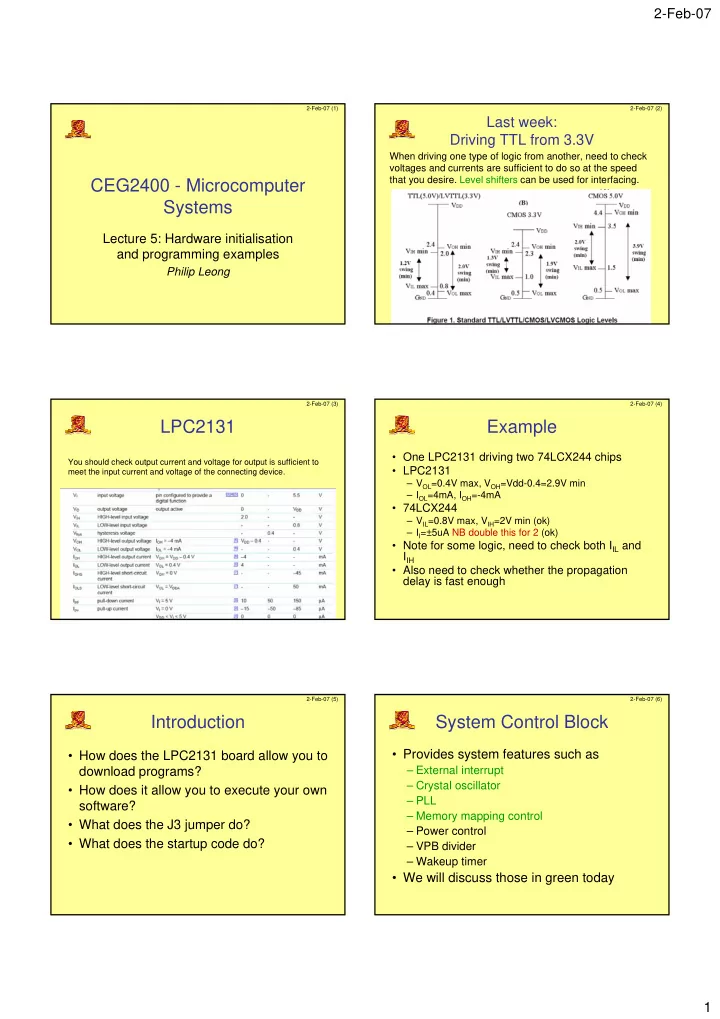
CEG2400 - Microcomputer Systems Lecture 5: Hardware initialisation - - PDF document

ceg2400 microcomputer systems
SMART_READER_LITE
LIVE PREVIEW

CEG2400 - Microcomputer Systems Lecture 5: Hardware initialisation - - PDF document

2-Feb-07 2-Feb-07 (1) 2-Feb-07 (2) Last week: Driving TTL from 3.3V When driving one type of logic from another, need to check voltages and currents are sufficient to do so at the speed that you desire. Level shifters can be used for


slide-1
SLIDE 1

2-Feb-07 1

2-Feb-07 (1)

CEG2400 - Microcomputer Systems

Lecture 5: Hardware initialisation and programming examples

Philip Leong

2-Feb-07 (2)

Last week: Driving TTL from 3.3V

When driving one type of logic from another, need to check voltages and currents are sufficient to do so at the speed that you desire. Level shifters can be used for interfacing.

2-Feb-07 (3)

LPC2131

You should check output current and voltage for output is sufficient to meet the input current and voltage of the connecting device.

2-Feb-07 (4)

Example

  • One LPC2131 driving two 74LCX244 chips
  • LPC2131

– VOL=0.4V max, VOH=Vdd-0.4=2.9V min – IOL=4mA, IOH=-4mA

  • 74LCX244

– VIL=0.8V max, VIH=2V min (ok) – II=±5uA NB double this for 2 (ok)

  • Note for some logic, need to check both IIL and

IIH

  • Also need to check whether the propagation

delay is fast enough

2-Feb-07 (5)

Introduction

  • How does the LPC2131 board allow you to

download programs?

  • How does it allow you to execute your own

software?

  • What does the J3 jumper do?
  • What does the startup code do?

2-Feb-07 (6)

System Control Block

  • Provides system features such as

– External interrupt – Crystal oscillator – PLL – Memory mapping control – Power control – VPB divider – Wakeup timer

  • We will discuss those in green today
slide-2
SLIDE 2

2-Feb-07 2

2-Feb-07 (7)

Reset Circuit

  • #RESET goes low when you

press SW1

  • Upon reset or powerup, ARM

executes instruction at address 0x00000000

Actually, should be

2-Feb-07 (8)

Power on

  • Wakeup timer

ensures everything is stable and ready before allowing instructions to execute

  • When using external
  • scillator, RESET

should be asserted for >10ms on powerup

– What is the RC time constant for the circuit in previous slide?

2-Feb-07 (9)

Reset Code

AREA RESET, CODE, READONLY ARM Vectors LDR PC, Reset_Addr LDR PC, Undef_Addr … ; DCD=Define Constant Data (same as DCW) Reset_Addr DCD Reset_Handler … EXPORT Reset_Handler Reset_Handler ; initialise everything here

2-Feb-07 (10)

Oscillator

  • Crystal + caps connected to XTAL1 and

XTAL2 pins to generate a clock

– A square wave can also be input to XTAL1

  • We use 11.0592MHz because it is a multiple
  • f the baud rates we wish to use for the

UARTs (11.0592MHz=57600x192)

2-Feb-07 (11)

Phase locked loop

  • High frequency signals are difficult to handle on

a PCB due to the relatively long wires used. This is less of a problem on-chip.

  • Sometimes we want a high frequency for high

throughput, sometimes we want a low clock frequency for low power and because it generates less electromagnetic interference

  • Many chips use a low frequency external clock

and multiply on-chip to address these issues

– A circuit that can do this is a phase locked loop (PLL)

2-Feb-07 (12)

PLL - how it works

  • Feedback system

used to multiply clock input clock frequency

  • Output of the loop

filter sets voltage to VCO so the two frequencies at the phase detector are exactly the same

  • Once “locked”,

Fout=N x Fin

Source: http://www.uoguelph.ca/~antoon/gadgets/pll/pll.html

slide-3
SLIDE 3

2-Feb-07 3

2-Feb-07 (13)

LPC21xx PLL

PLL Enable PLL Connect

PLL divider

PLL Multiplier Current controlled

  • scillator

2-Feb-07 (14)

PLL

  • PLL multiplies the input oscillator

frequency FOSC by M to give CCLK

– CCLK = FOSC x M

  • To do this it uses a current controlled
  • scillator at frequency

– FCCO = FOSC x M x 2 x P

  • Furthermore FOSC must be in range 10-

25MHz and FCCO in range 156-320MHz

2-Feb-07 (15)

PLLCFG

2-Feb-07 (16)

Choosing P and M

  • Choose desired FOSC and CCLK (CCLK must be

integer multiple)

  • Calculate M in range 1-32 (MSEL bits are M-1)
  • Calculate P so that FCCO is in correct range (P

must be 1,2,4 or 8. PSEL bits are P-1)

2-Feb-07 (17)

Example

  • FOSC=10 MHz requires CCLK = 60 MHz
  • M = CCLK / Fosc = 60 MHz / 10 MHz = 6.

– M - 1 = 5 will be written as PLLCFG[4:0]

  • Value for P can be derived from P = FCCO /

(CCLK x 2), FCCO must be 156-320 MHz. Assuming the lowest allowed frequency for FCCO = 156 MHz, P = 156 MHz / (2 x 60 MHz) = 1.3. The highest FCCO frequency criteria produces P = 2.67. Only solution for P that satisfies both of these requirements and is listed in Table 20 is P = 2. Therefore, PLLCFG[6:5] = 1 will be used.

2-Feb-07 (18)

PLLCON

slide-4
SLIDE 4

2-Feb-07 4

2-Feb-07 (19)

PLLFEED

  • Incorrect programming of the PLL will

cause the uC to operate incorrectly

  • The PLL is only updated if a PLLFEED

sequence is received

– Update PLLCFG & PLLCON registers – Write 0xAA to PLLFEED – Write 0x55 to PLLFEED

2-Feb-07 (20)

PLLSTATUS

2-Feb-07 (21)

PLL Definitions

; Phase Locked Loop (PLL) definitions PLL_BASE EQU 0xE01FC080 ; PLL Base Address PLLCON_OFS EQU 0x00 ; PLL Control Offset PLLCFG_OFS EQU 0x04 ; PLL Configuration Offset PLLSTAT_OFS EQU 0x08 ; PLL Status Offset PLLFEED_OFS EQU 0x0C ; PLL Feed Offset PLLCON_PLLE EQU (1<<0) ; PLL Enable PLLCON_PLLC EQU (1<<1) ; PLL Connect PLLCFG_MSEL EQU (0x1F<<0) ; PLL Multiplier PLLCFG_PSEL EQU (0x03<<5) ; PLL Divider PLLSTAT_PLOCK EQU (1<<10) ; PLL Lock Status ;// <e> PLL Setup ;// <o1.0..4> MSEL: PLL Multiplier Selection ;// <1-32><#-1> ;// <i> M Value ;// <o1.5..6> PSEL: PLL Divider Selection ;// <0=> 1 <1=> 2 <2=> 4 <3=> 8 ;// <i> P Value ;// </e> PLL_SETUP EQU 1 PLLCFG_Val EQU 0x00000024;

What is M and P? What is FCCO? CCLK?

2-Feb-07 (22)

PLL startup code

; Setup PLL IF PLL_SETUP <> 0 LDR R0, =PLL_BASE MOV R1, #0xAA MOV R2, #0x55 ; Configure and Enable PLL MOV R3, #PLLCFG_Val ; 0x24 STR R3, [R0, #PLLCFG_OFS] MOV R3, #PLLCON_PLLE STR R3, [R0, #PLLCON_OFS] STR R1, [R0, #PLLFEED_OFS] STR R2, [R0, #PLLFEED_OFS]

2-Feb-07 (23)

Wait until ready & switch

; Wait until PLL Locked PLL_Loop LDR R3, [R0, #PLLSTAT_OFS] ANDS R3, R3, #PLLSTAT_PLOCK BEQ PLL_Loop ; Switch to PLL Clock MOV R3, #(PLLCON_PLLE:OR:PLLCON_PLLC) STR R3, [R0, #PLLCON_OFS] STR R1, [R0, #PLLFEED_OFS] STR R2, [R0, #PLLFEED_OFS] ENDIF ; PLL_SETUP

2-Feb-07 (24)

VPB Clock

  • Processor uses

CCLK and peripherals use PCLK (peripherals usually don’t run as fast as the processor)

  • VPB divider

determines relation between them

– Startup code doesn’t change the default of / 4

  • What is PCLK in our

system?

slide-5
SLIDE 5

2-Feb-07 5

2-Feb-07 (25)

Stack space

UND_Stack_Size EQU 0x00000000 SVC_Stack_Size EQU 0x00000008 ABT_Stack_Size EQU 0x00000000 FIQ_Stack_Size EQU 0x00000000 IRQ_Stack_Size EQU 0x00000080 USR_Stack_Size EQU 0x00000400 Stack_Size EQU (UND_Stack_Size + SVC_Stack_Size + ABT_Stack_Size + \ FIQ_Stack_Size + IRQ_Stack_Size + USR_Stack_Size) AREA STACK, NOINIT, READWRITE, ALIGN=3 Stack_Mem SPACE Stack_Size Stack_Top EQU Stack_Mem + Stack_Size

2-Feb-07 (26)

Setup stack

; Setup Stack for each mode LDR R0, =Stack_Top ; Enter Undefined Instruction Mode and set its Stack Pointer MSR CPSR_c, #Mode_UND:OR:I_Bit:OR:F_Bit MOV SP, R0 SUB R0, R0, #UND_Stack_Size … ; Enter User Mode and set its Stack Pointer MSR CPSR_c, #Mode_USR MOV SP, R0 SUB SL, SP, #USR_Stack_Size ; Enter the C code IMPORT __main LDR R0, =__main BX R0

2-Feb-07 (27)

Memory Mapping Modes

  • Wish reset to be flexible

– download to flash (boot loader) – execute our program in flash – execute routine in RAM

  • Need some way to map

different portions of memory to the ARM exception vectors

– Memory mapping control determines source of this data

2-Feb-07 (28)

Memory Mapping modes

2-Feb-07 (29)

Memory mapping modes

So how does the bootloader know to execute your code?

2-Feb-07 (30)

Memory mapping modes

  • 12kB boot block remapped to high memory so it

is at the same address for devices with different flash sizes

slide-6
SLIDE 6

2-Feb-07 6

2-Feb-07 (31)

After reset

2-Feb-07 (32)

Details

  • Remapped area is

– 32 bytes (size of interrupt buffer area) – Additional 32 bytes (to store constants for jumping beyond range of branch instruction) – Total 64 bytes

  • Same data can be read from both

remapped and original locations

2-Feb-07 (33)

Boot loader

  • Always runs after reset
  • Allows programming of flash

memory

– Low on P0.14 starts the in-system programming command handler (J3 inserted on our board) – If high, looks for a valid user program and executes it – P0.14 must be pulled high or low by external hardware

2-Feb-07 (34)

Valid user program

  • Reserved ARM interrupt vector location

(0x0000 0014) should contain the 2’s complement of the check-sum of the remaining interrupt vectors.

– i.e. checksum of all vectors is 0.

2-Feb-07 (35)

Some simple programs

Following programs from: http://www.arm.com/miscPDFs/9658.pdf (excellent book on ARM assembly)

2-Feb-07 (36)

64-bit addition

slide-7
SLIDE 7

2-Feb-07 7

2-Feb-07 (37)

Factorial

2-Feb-07 (38)

Largest number

2-Feb-07 (39)

Largest number