Transformations Vectors, bases, and matrices Vectors, bases, and - - PDF document

transformations
SMART_READER_LITE
LIVE PREVIEW

Transformations Vectors, bases, and matrices Vectors, bases, and - - PDF document

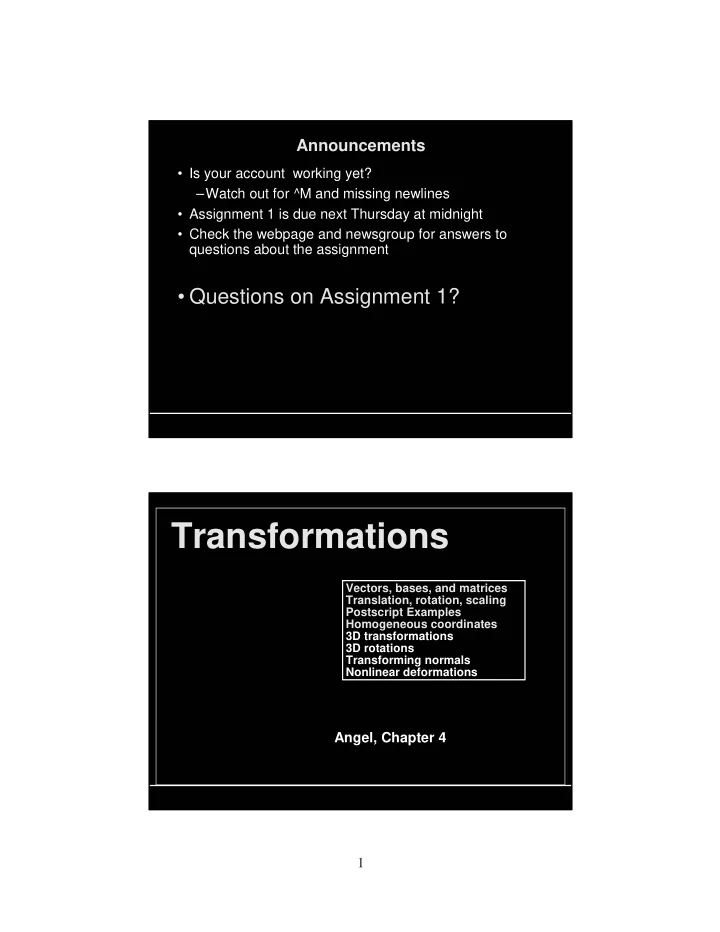
Announcements Is your account working yet? Watch out for ^M and missing newlines Assignment 1 is due next Thursday at midnight Check the webpage and newsgroup for answers to questions about the assignment Questions on


slide-1
SLIDE 1

1

Announcements

  • Is your account working yet?

–Watch out for ^M and missing newlines

  • Assignment 1 is due next Thursday at midnight
  • Check the webpage and newsgroup for answers to

questions about the assignment

  • Questions on Assignment 1?

Transformations

Vectors, bases, and matrices Translation, rotation, scaling Postscript Examples Homogeneous coordinates 3D transformations 3D rotations Transforming normals Nonlinear deformations Vectors, bases, and matrices Translation, rotation, scaling Postscript Examples Homogeneous coordinates 3D transformations 3D rotations Transforming normals Nonlinear deformations

Angel, Chapter 4

slide-2
SLIDE 2

2

Uses of Transformations

  • Modeling transformations

– build complex models by positioning simple components – transform from object coordinates to world coordinates

  • Viewing transformations

– placing the virtual camera in the world – i.e. specifying transformation from world coordinates to camera coordinates

  • Animation

– vary transformations over time to create motion WORLD OBJECT CAMERA

General Transformations

Q = T(P) for points V = R(u) for vectors

slide-3
SLIDE 3

3

Rigid Body Transformations

Rotation angle and line about which to rotate

Non-rigid Body Transformations

slide-4
SLIDE 4

4

Background Math: Linear Combinations of Vectors

  • Given two vectors, A and B, walk any distance you like

in the A direction, then walk any distance you like in the B direction

  • The set of all the places (vectors) you can get to this

way is the set of linear combinations of A and B.

  • A set of vectors is said to be linearly independent if none
  • f them is a linear combination of the others.

V = v1A + v2B, (v1,v2)

A B V

Bases

  • A basis is a linearly independent set of vectors whose

combinations will get you anywhere within a space, i.e. span the space

  • n vectors are required to span an n-dimensional space
  • If the basis vectors are normalized and mutually
  • rthogonal the basis is orthonormal
  • There are lots of possible bases for a given vector space;

there’s nothing special about a particular basis—but our favorite is probably one of these.

y x z z x y

slide-5
SLIDE 5

5

Vectors Represented in a Basis

  • Every vector has a unique representation in a

given basis

–the multiples of the basis vectors are the vector’s components or coordinates –changing the basis changes the components, but not the vector

–V = v1E1 + v2E2 + … vnEn The vectors {E1, E2, …, En} are the basis The scalars (v1, v2, …, vn) are the components of V with respect to that basis

Rotation and Translation of a Basis

, , ,

slide-6
SLIDE 6

6

Linear and Affine Maps

  • A function (or map, or transformation) F is linear if

for all vectors A and B, and all scalars k.

  • Any linear map is completely specified by its effect on a set of basis

vectors:

  • A function F is affine if it is linear plus a translation

– Thus the 1-D transformation y=mx+b is not linear, but affine – Similarly for a translation and rotation of a coordinate system – Affine transformations preserve lines F(A+B) = F(A) + F(B) F(kA) = k F(A) V = v1E1 + v2E2 +v3E3 F(V) = F(v1E1 + v2E2 +v3E3) = F(v1E1) + F(v2E2) + F(v3E3) = v1F(E1) + v2F(E2) +v3F(E3)

A B A+B Transforming a Vector

  • The coordinates of the transformed basis vector (in

terms of the original basis vectors):

  • The transformed general vector V becomes:

and its coordinates (still w.r.t. E) are

  • r just

The matrix multiplication formula!

F(E1) = f11E1 + f21E2 +f31E3 F(E2) = f12E1 + f22E2 +f32E3 F(E3) = f13E1 + f23E2 +f33E3 F(V) = v1F(E1) + v2F(E2) +v3F(E3) = (f11E1 + f21E2 +f31E3)v1 + (f12E1 + f22E2 +f32E3)v2 + (f13E1 + f23E2 +f33E3)v3 = (f11v1 + f12v2 + f13v3)E1 + (f21v1 + f22v2 + f23v3)E2 + (f31v1 + f32v2 + f33v3)E3 v1 = (f11v1 + f12v2 + f13v3) v2 = (f21v1 + f22v2 + f23v3) v3 = (f31v1 + f32v2 + f33v3) vi = fij

  • j

vj

slide-7
SLIDE 7

7

Matrices to the Rescue

  • An nxn matrix F represents a linear function in n

dimensions

– i-th column shows what the function does to the corresponding basis vector

  • Transformation = linear combination of columns of F

– first component of the input vector scales first column of the matrix – accumulate into output vector – repeat for each column and component

  • Usually compute it a different way:

– dot row i with input vector to get component i of output vector

v1 v2 v3

  • =

f11 f12 f13 f21 f22 f23 f31 f32 f33 v1 v2 v3 vi = fij

  • j

vj

Basic 2D Transformations

Translate Scale Rotate Parameters t, s, and are the “control knobs” x’ x tx y’ y ty x’ y’

  • x

y

  • tx

ty

  • x’ x t

x’ sxx y’ syy

x’ y’

  • sx

sy

  • x

y

  • x’ Sx

x’ x cos y sin y’ x sin y cos x’ y’

  • cos

sin sin cos

  • x

y

  • x’ Rx
slide-8
SLIDE 8

8

  • Build compound transformations by stringing basic ones together, e.g.

– “translate p to the origin, rotate, then translate back”

can also be described as a rotation about p

  • Any sequence of linear transformations can be collapsed into a single

matrix formed by multiplying the individual matrices together

  • This is good: can apply a whole sequence of transformation at once

Compound Transformations

Translate to the origin, rotate, then translate back.

1 2 3

vi = fij

  • j
  • gjk
  • k

vk =

k

  • fijgjk
  • j

vk mij = fijgjk

  • j

Postscript (Interlude)

  • Postscript is a language designed for

–Printed page description –Electronic documents

  • A full programming language, with variables,

procedures, scope, looping, …

–Stack based, i.e. instead of “1+2” you say “1 2 add”

  • We’ll briefly look at graphics in Postscript

–elegant handling of 2-D affine transformations and simple 2-D graphics

slide-9
SLIDE 9

9

2D Transformations in Postscript, 1

0 0 moveto (test) show

test

1 0 translate 0 0 moveto (test) show

test

30 rotate 0 0 moveto (test) show

test

2D Transformations in Postscript, 2

1 2 scale 0 0 moveto (test) show 1 0 translate 30 rotate 0 0 moveto (test) show 30 rotate 1 0 translate 0 0 moveto (test) show

test

test test

slide-10
SLIDE 10

10

2D Transformations in Postscript, 3

30 rotate 1 2 scale 0 0 moveto (test) show 1 2 scale 30 rotate 0 0 moveto (test) show

  • 1 1 scale

0 0 moveto (test) show

t e s t test

test

Homogeneous Coordinates

  • Translation is not linear--how to represent as a matrix?
  • Trick: add extra coordinate to each vector
  • This extra coordinate is the homogeneous coordinate, or w
  • When extra coordinate is used, vector is said to be

represented in homogeneous coordinates

  • Drop extra coordinate after transformation (project to w=1)
  • We call these matrices Homogeneous Transformations

x’ y’ 1

  • 1

tx 1 ty 1

  • x

y 1

slide-11
SLIDE 11

11

W!? Where did that come from?

  • Practical answer:

–W is a clever algebraic trick. –Don’t worry about it too much. The w value will be 1.0 for the time being. –If w is not 1.0, divide all coordinates by w to make it so.

  • Clever Academic Answer:

–(x,y,w) coordinates form a 3D projective space. –All nonzero scalar multiples of (x,y,1) form an equivalence class of points that project to the same 2D Cartesian point (x,y). –For 3-D graphics, the 4D projective space point (x,y,z,w) maps to the 3D point (x,y,z) in the same way.

Homogeneous 2D Transformations The basic 2D transformations become Translate: Scale: Rotate:

Any affine transformation can be expressed as a combination of these. We can combine homogeneous transforms by multiplication. Now any sequence of translate/scale/rotate operations can be collapsed into a single homogeneous matrix! 1 0 tx 0 1 ty 0 0 1

  • sx

sy 1

  • cos

sin 0 sin cos 1

slide-12
SLIDE 12

12

Postscript and OpenGL Transformations

Postscript 30 rotate 1 0 translate draw something Equivalent OpenGL glRotatef(30, 0,0,1); // rot 30° about z axis glTranslatef(1,0,0); draw something , 1 , 30 case in this 1 1 1 1 1 cos sin sin cos 1 ’ ’

  • y

x y x

t t y x t t y x

  • (x’,y’)
  • coord. sys.

(x,y)

  • coord. sys.

Sequences of Transformations

M M M x x x x x x x x x x x’ x’ x’ x’ x’ x’ x’ x’ x’ PARAMETERS MATRICES UNTRANSFORMED POINTS TRANSFORMED POINTS

  • Often the same

transformations are applied to many points

  • Calculation time for the

matrices and combination is negligible compared to that of transforming the points

  • Reduce the sequence to a

single matrix, then transform

slide-13
SLIDE 13

13

Collapsing a Chain of Matrices.

  • Consider the composite function ABCD, i.e. p’ = ABCDp
  • Matrix multiplication isn’t commutative - the order is important
  • But matrix multiplication is associative, so can calculate from right

to left or left to right: ABCD = (((AB) C) D) = (A (B (CD))).

  • Iteratively replace either the leading or the trailing pair by its

product

  • Postmultiply: left-to-right

(reverse of function application.)

  • Premultiply: right-to-left

(same as function application.)

  • Postmultiply: left-to-right

(reverse of function application.)

  • Premultiply: right-to-left

(same as function application.) M D M CM M BM M AM M A M MB M MC M MD

  • r

both give the same result. Premultiply Postmultiply

Implementing Transformation Sequences

  • Calculate the matrices and cumulatively multiply them into a global

Current Transformation Matrix

  • Postmultiplication is more convenient in hierarchies -- multiplication

is computed in the opposite order of function application

  • The calculation of the transformation matrix, M,

– initialize M to the identity – in reverse order compute a basic transformation matrix, T – post-multiply T into the global matrix M, M MT

  • Example - to rotate by around [x,y]:
  • Remember the last T calculated is the first applied to the points

– calculate the matrices in reverse order glLoadIdentity() /* initialize M to identity mat.*/ glTranslatef(x, y, 0) /* LAST: undo translation */ glRotatef(theta,0,0,1) /* rotate about z axis */ glTranslatef(-x, -y, 0) /* FIRST: move [x,y] to origin. */

slide-14
SLIDE 14

14

Column Vector Convention

  • The convention in the previous slides

–transformation is by matrix times vector, Mv –textbook uses this convention, 90% of the world too

  • The composite function A(B(C(D(x)))) is the matrix-

vector product ABCDx

x’ y’ 1

  • m11 m12 m13

m21 m22 m23 m31 m32 m33

  • x

y 1

  • Beware: Row Vector Convention
  • The transpose is also possible
  • How does this change things?

–all transformation matrices must be transposed

– ABCDx transposed is xTDTCTBTAT

– pre- and post-multiply are reversed

  • OpenGL uses transposed matrices!

– You only notice this if you pass matrices as arguments to OpenGL subroutines, e.g. glLoadMatrix. – Most routines take only scalars or vectors as arguments.

x’ y’ 1

  • x

y 1

  • m11

m21 m31 m12 m22 m32 m13 m23 m33

slide-15
SLIDE 15

15

Rigid Body Transformations

  • A transformation matrix of the form

where the upper 2x2 submatrix is a rotation matrix and column 3 is a translation vector, is a rigid body transformation.

  • Any series of rotations and translations results in

a rotation and translation of this form xx xy tx yx yy ty 0 0 1 Viewport Transformations

  • A transformation maps the visible (model) world onto screen or

window coordinates

  • In OpenGL a viewport transformation, e.g. glOrtho(), defines

what part of the world is mapped in standard “Normalized Device Coordinates” ((-1,-1) to (1,1))

  • The viewpoint transformation maps NDC into actual window,

pixel coordinates

– by default this fills the window – otherwise use glViewport

(2,0) (4.7,2) (0,0) (640,480)

slide-16
SLIDE 16

16

3D Transformations

  • 3-D transformations are very similar to the 2-D case
  • Homogeneous coordinate transforms require 4x4

matrices

  • Scaling and translation matrices are simply:
  • Rotation is a bit more complicated in 3-D

– left- or right-handedness of coordinate system affects direction of rotation – different rotation axes

S = s0 0 0 0 0 s1 0 0 0 0 s2 0 0 0 0 1 T = 1 0 0 t0 0 1 0 t1 0 0 1 t2 0 0 0 1

  • Right-handed vs. left-handed
  • Z-axis determined from X and Y by cross product: Z=X×Y
  • Cross product follows right-hand rule in a right-handed coordinate

system, and left-hand rule in left-handed system.

3-D Coordinate Systems

(out of page)

X Y Z X Y Z

(into page)

  • 1

2 2 1 3 1 1 3 2 3 3 2

Y X Y X Y X Y X Y X Y X Y X Z

slide-17
SLIDE 17

17

Euler Angles for 3-D Rotations

  • Euler angles - 3 rotations about each coordinate axis,

however

– angle interpolation for animation generates bizarre motions – rotations are order-dependent, and there are no conventions about the order to use

  • Widely used anyway, because they're “simple”
  • Coordinate axis rotations (right-handed coordinates):

Rx = 1 cos

  • –sin
  • sin
  • cos
  • 1

Ry = cos

  • sin
  • 1

–sin

  • cos
  • 1

Rz = cos

  • –sin
  • sin
  • cos
  • 1

1

Euler Angles for 3-D Rotations

slide-18
SLIDE 18

18

Axis-angle rotation

unit.) is (assumes plane normal in by Rotate sin , cos 9 by flip plane, normal

  • nto

Project matrix. Dual plane normal s ’

  • nto

Project

  • nto

Project sin ) ( cos

* *

v v v vv I v vv v vv I vv R

  • T

T T T

The matrix R rotates by about axis (unit) v:

The Dual Matrix v

*

z y z x y x

  • If v=[x,y,z] is a vector, the skew-symmetric matrix

is the dual matrix of v

  • Cross-product as a matrix multiply: v*a = v x a
  • helps define rotation about an arbitrary axis
  • angular velocity and rotation matrix time derivatives
  • Geometric interpretation of v*a
  • project a onto the plane normal to v
  • rotate a by 90° about v
  • resulting vector is perpendicular to v and a
slide-19
SLIDE 19

19

Quaternions

  • Complex numbers can represent 2-D rotations
  • Quaternions, a generalization of complex numbers, can

represent 3-D rotations

  • Quaternions represent 3-D rotations with 4 numbers:

– 3 give the rotation axis - magnitude is sin /2 – 1 gives cos /2 – unit magnitude - points on a 4-D unit sphere

  • Advantages:

– no trigonometry required – multiplying quaternions gives another rotation (quaternion) – rotation matrices can be calculated from them – direct rotation (with no matrix) – no favored direction or axis

  • See Angel 4.11

What is a Normal?

Indication of outward facing direction for lighting and shading

Order of definition of vertices in OpenGL Right hand rule

Note: GL conventions…

glFrontFace(GL_CCW) glFrontFace(GL_CW)

slide-20
SLIDE 20

20

Transforming Normals

  • It’s tempting to think of normal vectors as being like

porcupine quills, so they would transform like points

  • Alas, it’s not so, consider the 2D affine transformation

below.

  • We need a different rule to transform normals.

Normals Do Not Transform Like Points

  • If M is a 4x4 transformation matrix, then

–To transform points, use p’=Mp, where p=[x y z 1]T –So to transform normals, n’=Mn, where n=[a b c 1] T right? –Wrong! This formula doesn’t work for general M.

slide-21
SLIDE 21

21

Normals Transform Like Planes

  • plane

transform to point transform to space d transforme in plane

  • n

point for equation space

  • riginal

in plane

  • n

point for equation

T T T T T T T T T T

d a,b,c z y x d c b a d cz by ax n M M n n Mp p p n Mp M n p M M n Ip n n p p n p n p n

1 1 1 1

) ( ) )( ( ) ( : magic some do answer, the find To ? transform should how ed, transform is If

  • ffset.

the is normal, plane the is ) ( 1 , where , written be can plane A

  • Transforming Normals - Cases
  • For general transformations M that include perspective,

use full formula (M inverse transpose), use the right d –d matters, because parallel planes do not transform to parallel planes in this case

  • For affine transformations, d is irrelevant, can use d=0.
  • For rotations only, M inverse transpose = M, can

transform normals and points with same formula.

slide-22
SLIDE 22

22

Spatial Deformations

  • Linear transformations

–take any point (x,y,z) to a new point (x’,y’,z’) –Non-rigid transformations such as shear are “deformations”

  • Linear transformations aren’t the only types!
  • A transformation is any rule for computing (x’,y’,z’) as a

function of (x,y,z).

  • Nonlinear transformations would enrich our modeling

capabilities.

  • Start with a simple object and deform it into a more

complex one.

Bendy Twisties

  • Method:

–define a few simple shapes –define a few simple non-linear transformations (deformations e.g. bend/twist, taper) –make complex objects by applying a sequence of deformations to the basic objects

  • Problem:

–a sequence of non-linear transformations can not be collapsed to a single function –every point must be transformed by every transformation

slide-23
SLIDE 23

23

Bendy Twisties Example: Z-Taper

  • Method:

–align the simple object with the z-axis –apply the non-linear taper (scaling) function to alter its size as some function of the z-position

  • Example:

–applying a linear taper to a cylinder generates a cone

x’ k1z k2

  • x

y’ k1z k2

  • y

z’ z x’ f(z)x y’ f(z)y z’ z

“Linear” taper: General taper (f is any function you want):

slide-24
SLIDE 24

24

Example: Z-twist

  • Method:

–align simple object with the z-axis –rotate the object about the z-axis as a function of z

  • Define angle, , to be an arbitrary function f (z)
  • Rotate the points at z by = f (z)

“Linear” version:

f(z) x’ xcos() ysin() y’ xsin() ycos() z’ z f (z) kz Extensions

  • Incorporating deformations into a modeling system

– How to handle UI issues?

  • “Free-form deformations” for arbitrary warping of space

– Use a 3-D lattice of control points to define Bezier cubics: (x’,y’,z’) are piecewise cubic functions of (x,y,z) – Widely used in commercial animation systems

  • Physically based deformations

– Based on material properties – Reminiscent of finite element analysis