
SLIDE 1
COMP 520 Winter 2017 Scanning (1)
Scanning
COMP 520: Compiler Design (4 credits) Alexander Krolik
alexander.krolik@mail.mcgill.ca
MWF 13:30-14:30, MD 279
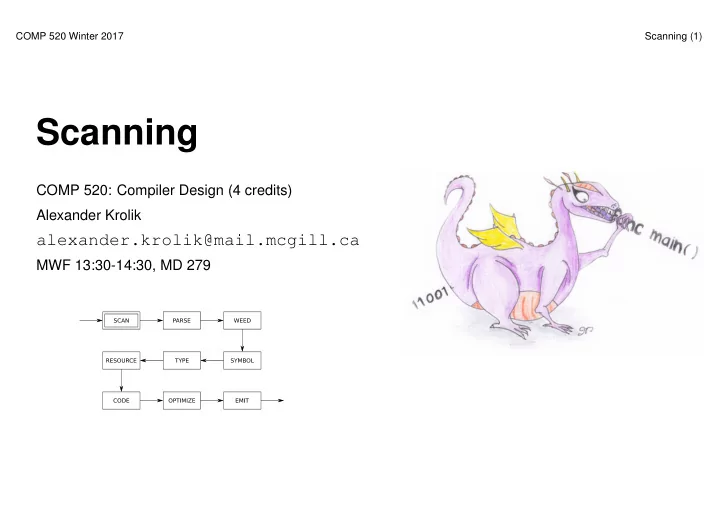
Scanning COMP 520: Compiler Design (4 credits) Alexander Krolik - - PowerPoint PPT Presentation
COMP 520 Winter 2017 Scanning (1) Scanning COMP 520: Compiler Design (4 credits) Alexander Krolik alexander.krolik@mail.mcgill.ca MWF 13:30-14:30, MD 279 COMP 520 Winter 2017 Scanning (2) Announcements (Friday, January 6th) Facebook group:
COMP 520 Winter 2017 Scanning (1)
COMP 520: Compiler Design (4 credits) Alexander Krolik
alexander.krolik@mail.mcgill.ca
MWF 13:30-14:30, MD 279
COMP 520 Winter 2017 Scanning (2)
Announcements (Friday, January 6th) Facebook group:
Milestones:
Midterm:
COMP 520 Winter 2017 Scanning (3)
Readings Textbook, Crafting a Compiler:
Modern Compiler Implementation in Java:
Flex tool:
http://mcgill.worldcat.org/title/flex-bison/oclc/457179470
COMP 520 Winter 2017 Scanning (4)
Scanning:
Overall:
COMP 520 Winter 2017 Scanning (5)
An example:
var a = 5 if (a == 5) { print "success" } tVAR tIDENTIFIER: a tASSIGN tINTEGER: 5 tIF tLPAREN tIDENTIFIER: a tEQUALS tINTEGER: 5 tRPAREN tLBRACE tIDENTIFIER: print tSTRING: success tRBRACE
COMP 520 Winter 2017 Scanning (6)
Review of COMP 330:
An example:
– {1, 10, 100, 1000, 10000, 100000, . . . }: “1” followed by any number of zeros – {0, 1, 1000, 0011, 11111100, . . . }: ?!
COMP 520 Winter 2017 Scanning (7)
A regular expression:
A regular language:
COMP 520 Winter 2017 Scanning (8)
In a scanner, tokens are defined by regular expressions:
[alternation: either M or N]
[concatenation: M followed by N]
[zero or more occurences of M] What are M? and M +?
COMP 520 Winter 2017 Scanning (9)
Examples of regular expressions:
COMP 520 Winter 2017 Scanning (10)
We can write regular expressions for the tokens in our source language using standard POSIX notation:
[. . . ] define a character class:
The wildcard character:
COMP 520 Winter 2017 Scanning (11)
A scanner:
Internally, a scanner or lexer:
COMP 520 Winter 2017 Scanning (12)
A finite state machine (FSM):
A deterministic finite automaton (DFA):
COMP 520 Winter 2017 Scanning (13)
Background (DFAs) from textbook, “Crafting a Compiler”
COMP 520 Winter 2017 Scanning (14)
DFAs (for the previous example regexes):
❧ ❤ ❧ ✲ ✲ ❧ ❤ ❧ ✲ ✲ ❧ ❤ ❧ ✲ ✲ ❧ ❤ ❧ ✲ ✲ ❧ ❤ ❧ ✲ ✲ ❧ ❤ ❧ ❤ ❧ ❤ ❧ ❤ ❧ ❤ ❧ ❄ ✲ ✲
\t\n \t\n
❧ ❧ ❧ ✲ ✲ ✑✑ ✸ ◗◗ s ❄ ✲ ✲ ❄ ✲
* / + ( )
1-9 a-zA-Z0-9_ a-zA-Z_
COMP 520 Winter 2017 Scanning (15)
Try it yourself:
COMP 520 Winter 2017 Scanning (16)
Background (Scanner Table) from textbook, “Crafting a Compiler”
COMP 520 Winter 2017 Scanning (17)
Background (Scanner Algorithm) from textbook, “Crafting a Compiler”
COMP 520 Winter 2017 Scanning (18)
A non-deterministric finite automaton:
Note: DFAs and NFAs are equally powerful.
COMP 520 Winter 2017 Scanning (19)
Regular Expressions to NFA (1) from textbook, “Crafting a Compiler”
COMP 520 Winter 2017 Scanning (20)
Regular Expressions to NFA (2) from textbook, ”Crafting a Compiler"
COMP 520 Winter 2017 Scanning (21)
Regular Expressions to NFA (3) from textbook, ”Crafting a Compiler"
COMP 520 Winter 2017 Scanning (22)
How to go from regular expressions to DFAs?
See “Crafting a Compiler", Chapter 3; or “Modern Compiler Implementation in Java", Chapter 2
COMP 520 Winter 2017 Scanning (23)
What you should know:
NFA.
What you do not need to know:
COMP 520 Winter 2017 Scanning (24)
Let’s assume we have a collection of DFAs, one for each lex rule
reg_expr1
DFA1 reg_expr2
DFA2 ... reg_rexpn
DFAn
How do we decide which regular expression should match the next characters to be scanned?
COMP 520 Winter 2017 Scanning (25)
Given DFAs D1, . . . , Dn, ordered by the input rule order, the behaviour of a flex-generated scanner on an input string is:
while input is not empty do si := the longest prefix that Di accepts
l := max{|si|}
if l > 0 then
j := min{i : |si| = l} remove sj from input perform the jth action
else (error case)
move one character from input to output
end end
COMP 520 Winter 2017 Scanning (26)
Why the “longest match” principle? Example: keywords
... import return tIMPORT; [a-zA-Z_][a-zA-Z0-9_]* return tIDENTIFIER; ...
Given a string “importedFiles”, we want the token output of the scanner to be
tIDENTIFIER(importedFiles)
and not
tIMPORT tIDENTIFIER(edFiles)
Because we prefer longer matches, we get the right result.
COMP 520 Winter 2017 Scanning (27)
Why the “first match” principle? Example: keywords
... continue return tCONTINUE; [a-zA-Z_][a-zA-Z0-9_]* return tIDENTIFIER; ...
Given a string “continue foo”, we want the token output of the scanner to be
tCONTINUE tIDENTIFIER(foo)
and not
tIDENTIFIER(continue) tIDENTIFIER(foo)
“First match” rule gives us the right answer: When both tCONTINUE and tIDENTIFIER match, prefer the first.
COMP 520 Winter 2017 Scanning (28)
When “first longest match” (flm) is not enough, look-ahead may help. FORTRAN allows for the following tokens:
.EQ., 363, 363., .363
flm analysis of 363.EQ.363 gives us:
tFLOAT(363) E Q tFLOAT(0.363)
What we actually want is:
tINTEGER(363) tEQ tINTEGER(363)
To distinguish between a tFLOAT and a tINTEGER followed by a “.”, flex allows us to use look-ahead, using ’/’:
363/.EQ. return tINTEGER;
A look-ahead matches on the full pattern, but only processes the characters before the ’/’. All subsequent characters are returned to the input stream for further matches.
COMP 520 Winter 2017 Scanning (29)
Another example taken from FORTRAN, FORTRAN ignores whitespace
in C, these are equivalent to an assignment:
do5i = 1.25;
in C, these are equivalent to looping:
for(i=1;i<25;++i){...}
(5 is interpreted as a line number here) To get the correct token output:
tID(DO5I) tEQ tREAL(1.25)
tDO tINT(5) tID(I) tEQ tINT(1) tCOMMA tINT(25)
But we cannot make decision on tDO until we see the comma, look-ahead comes to the rescue:
DO/({letter}|{digit})*=({letter}|{digit})*, return tDO;
COMP 520 Winter 2017 Scanning (30)
Announcements (Monday, January 9th) Facebook group:
Milestones:
Midterm:
COMP 520 Winter 2017 Scanning (31)
Introduce yourselves! (no, not joking)
COMP 520 Winter 2017 Scanning (32)
In practice, we use tools to generate scanners. Using flex:
✓ ✒ ✏ ✑ ✓ ✒ ✏ ✑ ✓ ✒ ✏ ✑ ❄ ❄ ✲ ✲ ❄ ❄
joos.l flex lex.yy.c gcc scanner foo.joos tokens
COMP 520 Winter 2017 Scanning (33)
A flex file:
/* includes and other arbitrary C code. copied to the scanner verbatim */ %{ %} /* helper definitions */ DIGIT [0-9] %% /* regex + action rules come after the first %% */ RULE ACTION %% /* user code comes after the second %% */ main () {}
COMP 520 Winter 2017 Scanning (34)
$ cat print_tokens.l # flex source code /* includes and other arbitrary C code */ %{ #include <stdio.h> /* for printf */ %} /* helper definitions */ DIGIT [0-9] /* regex + action rules come after the first %% */ %% [ \t\n]+ printf ("white space, length %i\n", yyleng); "*" printf ("times\n"); "/" printf ("div\n"); "+" printf ("plus\n"); "-" printf ("minus\n"); "(" printf ("left parenthesis\n"); ")" printf ("right parenthesis\n"); 0|([1-9]{DIGIT}*) printf ("integer constant: %s\n", yytext); [a-zA-Z_][a-zA-Z0-9_]* printf ("identifier: %s\n", yytext); %% /* user code comes after the second %% */ main () { yylex (); }
COMP 520 Winter 2017 Scanning (35)
Sometimes a token is not enough, we need the value as well:
In these cases, flex provides:
[a-zA-Z_][a-zA-Z0-9_]* { yylval.stringconst = (char *)malloc(strlen(yytext)+1); printf(yylval.stringconst,"%s",yytext); return tIDENTIFIER; }
COMP 520 Winter 2017 Scanning (36)
Using flex to create a scanner is really simple:
$ vim print_tokens.l $ flex print_tokens.l $ gcc -o print_tokens lex.yy.c -lfl
COMP 520 Winter 2017 Scanning (37)
Running this scanner with input:
a*(b-17) + 5/c
$ echo "a*(b-17) + 5/c" | ./print_tokens
identifier: a times left parenthesis identifier: b minus integer constant: 17 right parenthesis white space, length 1 plus white space, length 1 integer constant: 5 div identifier: c white space, length 1
COMP 520 Winter 2017 Scanning (38)
Count lines and characters:
%{ int lines = 0, chars = 0; %} %% \n lines++; chars++; . chars++; %% main () { yylex (); printf ("#lines = %i, #chars = %i\n", lines, chars); }
COMP 520 Winter 2017 Scanning (39)
Getting (better) position information in flex:
If position information is useful for further compilation phases:
typedef struct yyltype { int first_line, first_column, last_line, last_column; } yyltype; %{ #define YY_USER_ACTION yylloc.first_line = yylloc.last_line = yylineno; %} %option yylineno %% . { printf("Error: (line %d) unexpected char ’%s’\n", yylineno, yytext); exit(1); }
COMP 520 Winter 2017 Scanning (40)
Actions in a flex file can either:
%{ #include <stdlib.h> /* for atoi */ #include <stdio.h> /* for printf */ #include "lang.tab.h" /* for tokens */ %} %% [aeiouy] /* ignore */ [0-9]+ printf ("%i", atoi (yytext) + 1); ’\\n’ { yylval.rune_const = ’\n’; return tRUNECONST; } %% main () { yylex (); }
COMP 520 Winter 2017 Scanning (41)
Summary