INFLUENTIAL COMMUNICATION How to increase your influence by asking - - PowerPoint PPT Presentation

influential communication
SMART_READER_LITE
LIVE PREVIEW

INFLUENTIAL COMMUNICATION How to increase your influence by asking - - PowerPoint PPT Presentation

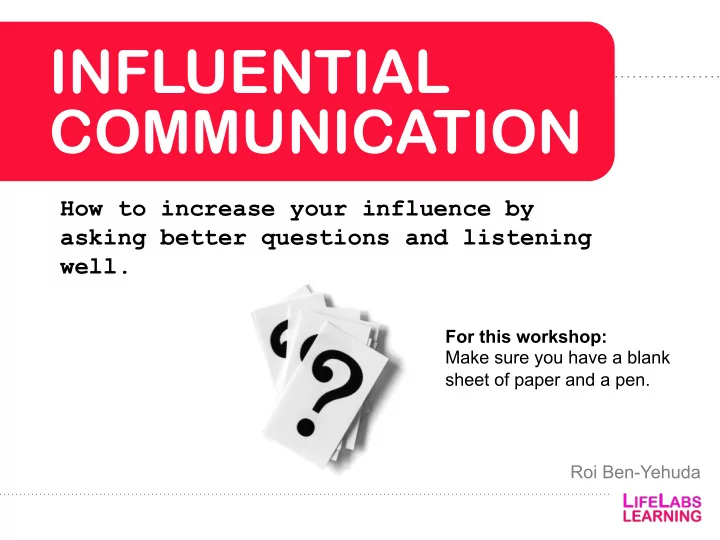
INFLUENTIAL COMMUNICATION How to increase your influence by asking better questions and listening well. For this workshop: Make sure you have a blank sheet of paper and a pen. Roi Ben-Yehuda What is influence? How would you define it?


slide-1
SLIDE 1

INFLUENTIAL COMMUNICATION

How to increase your influence by asking better questions and listening well.

Roi Ben-Yehuda For this workshop: Make sure you have a blank sheet of paper and a pen.
slide-2
SLIDE 2

What is influence?

How would you define it?

slide-3
SLIDE 3

Studying the legends

slide-4
SLIDE 4

Studying the legends

Key differentiator: Quantity and quality

  • f questions they ask
slide-5
SLIDE 5

Question quantity

per 15 min

average folks

per 15 min

top motivators

slide-6
SLIDE 6

Question quantity

per 15 min

average folks

per 15 min

top motivators

2

slide-7
SLIDE 7

Question quantity

per 15 min

average folks

per 15 min

top motivators

2 10

Mission: ask one more question than normal!

slide-8
SLIDE 8
slide-9
SLIDE 9

You propose an idea and the reply is…

slide-10
SLIDE 10

You propose an idea and the reply is…

Sorry it’s just not a good

  • time. It’s not top priority.
slide-11
SLIDE 11

You propose an idea and the reply is…

Sorry it’s just not a good

  • time. It’s not top priority.

What questions can you ask?

slide-12
SLIDE 12

Agility: ability to pivot into different questions

DIRECTIONS:

Question agility

slide-13
SLIDE 13

1 2 3

TODAY’S TOPICS

Get to curious Ask 4 key questions Pick a focus!

slide-14
SLIDE 14

Get to curious

How?

slide-15
SLIDE 15
  • 1. 20 Questions Technique

Pair up with a partner:

slide-16
SLIDE 16
  • 1. 20 Questions Technique

Pair up with a partner: Write at least 20 questions about ______.

  • One person is scribe.
  • Both people generate

ideas.

  • 2 minutes.
slide-17
SLIDE 17

Key point:

  • Best Qs are usually

not first Qs.

  • Ideate in questions.
  • 1. 20 Questions Technique
slide-18
SLIDE 18

It works for anything! On your own: 1 minute of questions about your manager.

  • 1. 20 Questions Technique
slide-19
SLIDE 19

It works for anything! On your own: 1 minute of questions about your manager. Circle the one you find most interesting.

  • 1. 20 Questions Technique
slide-20
SLIDE 20
  • Make questions

mode your default mode

  • Cultivate curiosity
  • Think in questions

Life lesson

slide-21
SLIDE 21
  • Make questions

mode your default mode

  • Cultivate curiosity
  • Think in questions

Life lesson

But which questions matter most?

slide-22
SLIDE 22

1 2 3

TODAY’S TOPICS

Get curious Ask 4 key questions Pick a focus

slide-23
SLIDE 23

1 2 3

TODAY’S TOPICS

Get curious Ask 4 key questions Pick a focus

slide-24
SLIDE 24

The big 4

slide-25
SLIDE 25
  • 1. Playbacks/ Split-tracks
  • 2. Blur
  • 3. Scale
  • 4. Share the reasoning

The big 4

slide-26
SLIDE 26
  • 1. Playbacks/ Split-tracks
  • 2. Blur
  • 3. Scale
  • 4. Share the reasoning

The big 4

slide-27
SLIDE 27
  • 1. Playbacks

“Just to make sure I got it right, you said ____. Did I get that right?”

slide-28
SLIDE 28
  • 1. Playbacks

Split-tracking

“Okay, I hear a few things: X and Y. Which one should we focus on first?”

slide-29
SLIDE 29
  • 1. Playbacks

Split-tracking

“Okay, I hear a few things: X and Y. Which one should we focus on first?”

Yes, either I or Jen will get it done. There are a few things I’m still confused about regarding what you need, but I think I can manage it by Friday if my meetings don’t get rescheduled.

slide-30
SLIDE 30
  • 1. Playbacks

Person 1: What’s been on your mind? Person 2: Listen, then split-track

Split-tracking

“Okay, I hear a few things: X and Y. Is that right?”

slide-31
SLIDE 31

How does it earn influence?

slide-32
SLIDE 32

How does it earn influence?

  • Rapport: person feels heard
  • Alignment: make sure you are talking about

the same thing.

  • Structure: help people think and speak clearer
  • Speed: go slow to go fast
slide-33
SLIDE 33
  • 1. Playbacks/Split-tracks
  • 2. Blur
  • 3. Scale
  • 4. Share the reasoning

The big 4

slide-34
SLIDE 34
  • 1. Playbacks/Split-tracks
  • 2. Blur
  • 3. Scale
  • 4. Share the reasoning

The big 4

slide-35
SLIDE 35

I will email you the file ASAP.

  • 2. Blur words
slide-36
SLIDE 36
  • 2. Blur words

I will email you the file ASAP.

slide-37
SLIDE 37
  • 2. Blur words

What does ______ mean to you?

I will email you the file ASAP.

slide-38
SLIDE 38

Directions: Get ready to mentally underline as I share my goal with you. My goal is…

  • 2. Blur words

What does ______ mean to you?

slide-39
SLIDE 39

I want to become a more playful facilitator.

  • 2. Blur words

What does ______ mean to you?

slide-40
SLIDE 40

EXERCISE:

  • Person 1: What’s something that’s really important to you

at the moment?

  • Person 2: Playback + what does ___ mean to you? What

does ___ mean to you? etc., Pivot…

  • 2. Blur words
slide-41
SLIDE 41

I liked your proposal. Good job.

  • 2. Blur words
slide-42
SLIDE 42

I liked your proposal. Good job. It’s well-

  • rganized.
  • 2. Blur words
slide-43
SLIDE 43

I liked your proposal. Good job. It’s well-

  • rganized. There were headers and bullets.
  • 2. Blur words
slide-44
SLIDE 44

I liked your proposal. Good job. It’s well-

  • rganized. There were headers and bullets.

I like how you handled that situation with the Jane.

  • 2. Blur words
slide-45
SLIDE 45

I liked your proposal. Good job. It’s well-

  • rganized. There were headers and bullets.

I like how you handled that situation with the

  • Jane. You were tactful.
  • 2. Blur words
slide-46
SLIDE 46

I liked your proposal. Good job. It’s well-

  • rganized. There were headers and bullets.

I like how you handled that situation with the

  • Jane. You were tactful. You addressed her

concerns before discussing your own.

  • 2. Blur words
slide-47
SLIDE 47

How does it earn influence?

slide-48
SLIDE 48

How does it earn influence?

  • Credibility: create structure & clarity
  • Problem solving: identify the real issue
  • Speed: get to the point faster
slide-49
SLIDE 49
  • 1. Playbacks/Split-tracks
  • 2. Blur
  • 3. Scale
  • 4. Share the reasoning

The big 4

slide-50
SLIDE 50
  • 1. Playbacks/Split-tracks
  • 2. Blur
  • 3. Scale
  • 4. Share the reasoning

The big 4

slide-51
SLIDE 51

‘I’m not really digging your idea.’

  • 3. Scaling questions
slide-52
SLIDE 52
  • On a scale from 1-10, where does

it fall?

‘I’m not really digging your idea.’

  • 3. Scaling questions
slide-53
SLIDE 53
  • On a scale from 1-10, where does

it fall?

  • What would it take to move it from

6 to a 7?

‘I’m not really digging your idea.’

  • 3. Scaling questions
slide-54
SLIDE 54

Here’s my idea…

Scale: On a scale from 1-10… What would it take to move it 1 point?

Sorry it’s just not a good

  • time. It’s not top priority.
slide-55
SLIDE 55

Here’s my idea…

Scale: What would make this 10% better?

slide-56
SLIDE 56

How does it earn influence?

slide-57
SLIDE 57

How does it earn influence?

  • Buy-in: Unlock and get folks to co-create

solution(s) with you.

  • Progress: create shared vocabulary around

progress.

  • Credibility: increase perceived competence

by demonstrating improvement.

slide-58
SLIDE 58
  • 1. Playbacks/Split-tracks
  • 2. Blur
  • 3. Scale
  • 4. Share the reasoning

The big 4

slide-59
SLIDE 59
  • 1. Playbacks/Split-tracks
  • 2. Blur
  • 3. Scale
  • 4. Share the reasoning

The big 4

slide-60
SLIDE 60
  • 4. Reasoning questions
slide-61
SLIDE 61
  • 4. Reasoning questions
slide-62
SLIDE 62

Ask questions to understand the logic behind their thinking.

  • 4. Reasoning questions
slide-63
SLIDE 63

Ask questions to understand the logic behind their thinking.

  • Can you walk me through

your thinking on that?

  • What led you to that thought?
  • What is important to you

about that?

  • 4. Reasoning questions
slide-64
SLIDE 64

Think about someone who made a decision you don’t agree with….

  • 4. Reasoning questions
slide-65
SLIDE 65

Think about someone who made a decision you don’t agree with…. What might their reasoning have been?

  • 4. Reasoning questions
slide-66
SLIDE 66

Think about someone who made a decision you don’t agree with…. What might their reasoning have been?

Goal = zoom out! Examining the reasoning helps you create an innoculation statement

  • 4. Reasoning questions
slide-67
SLIDE 67

Examining the reasoning helps you avoid the backfire effect.

  • 4. Reasoning questions
slide-68
SLIDE 68

How does it earn influence?

slide-69
SLIDE 69

How does it earn influence?

  • Conflict resolution: find common ground and

propose ideas that benefit all parties

  • Reciprocity: get them to ask (and want to

hear) about your reasoning

  • Persuasion: learn what matters to them so

that you can appeal to their interests

slide-70
SLIDE 70
  • 1. Playbacks/Split-tracks
  • 2. Blur
  • 3. Scale
  • 4. Share the reasoning

The big 4

slide-71
SLIDE 71
  • 1. Playbacks/Split-tracks
  • 2. Blur
  • 3. Scale
  • 4. Share the reasoning
  • 5. What Q would you add?

The big 4

slide-72
SLIDE 72

Let’s put it together

Playback/Split-track Blur Scale Reasoning Need-Forwards Next Step So, xyz? What does ___ mean to you? So you need/want.. How might we.. On a scale from… …Move it 1 point? Can you walk me through you thinking... What is the next (smallest) step?

slide-73
SLIDE 73

1 2 3

TODAY’S TOPICS

Get curious Ask 4 key questions Pick a focus

slide-74
SLIDE 74

1 2 3

TODAY’S TOPICS

Get curious Ask 4 key questions Pick a focus

slide-75
SLIDE 75

THIS WEEK

Q-step: ask one more question than usual (can be your snowball question) Do playbacks + split-tracks

slide-76
SLIDE 76

Summary

Grab your phone or computer Type http://bit.ly/influential_q Email: roi@lifelabslearning.com

slide-77
SLIDE 77

Thanks!

QUESTIONS? LeeAnn@LifeLabsLearning.com

slide-78
SLIDE 78

Thanks!

QUESTIONS? Hello@LifeLabsLearning.com