
SLIDE 1
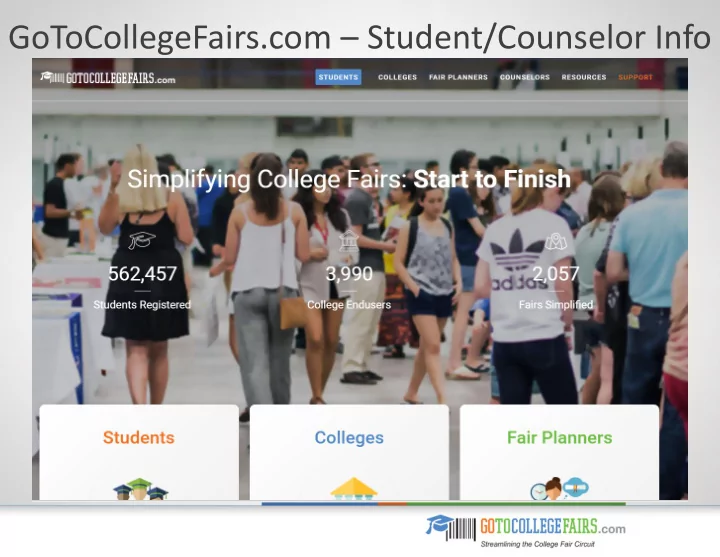
GoToCollegeFairs.com Student/Counselor Info Benefits Student - - PowerPoint PPT Presentation
GoToCollegeFairs.com Student/Counselor Info Benefits Student Registration Students provide their information only one time on our simple online registration page instead of dozens of times on prospect cards at each fair and
Students provide their information only one time—on our
simple online registration page—instead of dozens of times
The student registration form offers more detailed information than most prospect cards provide Registration information is translated into a secure barcode that students print or show on their mobile devices at the fair The barcode guarantees the secure transfer of accurate student data to the colleges and universities of their choice Utilizing the GTCF barcode program increases face-to- face time between students and admissions officers The barcode helps to reduce queues and student wait time Less likelihood of manual input error by data entry staff leads to quick follow-up
As students visit each college table, their barcode is scanned and their information is easily captured. Colleges get complete, accurate, legible information EVERY TIME.
No need to worry about students losing their printed barcode if they register early. The unique features of this program keep them covered! Students create a unique username and password to establish a profile with their detailed information With the username and password, students may update their profile at anytime at https://register.gotocollegefairs.com/Account/Logon Students may register early in the spring for the fall and vice versa without fear of forgetting the fair date An attendance reminder email is sent to each registered student two days before and on the day of the fair A copy of the student’s barcode is attached to the reminder email The barcode can be printed or displayed on a student’s mobile device at the fair
We offer a simple four-step process to get your students on the way to multiple fairs without registering for a new username and password. Students can now access their already-created profile to add an additional fair from year-to-year at www.gotocollegefairs.com Navigate to the “Students” tab and select “My Account / Reprint Barcode” from the drop-down menu Follow the login steps; enter username and password and choose “Add More Fairs” from the displayed options From the map of the US, select the state and choose a new fair by checking the “Attending” box and then clicking on “Add Fairs” A success message will display; select “Profile” and then “Reprint Your Pass”
We now offer a refined high school search option to eliminate errors. A student’s name is guaranteed to display on the counselor dashboard. From the registration form, students will use the clickable link “High School Name” The pop-up window to find the high school will display Several search options are now available: * CEEB code only * First three letters of school name & state * City & state only * Zip code only Hit “Search” Select the school name from the list displayed The registration form auto populates
As students visit each college table, their barcode is scanned and their information is easily captured. Colleges get complete, accurate, legible information EVERY TIME.
Take full advantage of the new “Express Student Pre-Registration” process, a new feature available on the counselor dashboard Distribute the student flyer during assembly periods Post the student flyer in your school halls and guidance office and share with parents Post the student registration link on the guidance counselor/college and career website pages Advertise in the school’s newsletter and/or on the school’s online calendar under upcoming events Give as an assignment and/or complete during a computer lab period Include in morning announcements and at Back to School Night Send an email to students using internal email system
What a great way to keep informed of your student registration numbers. Helpful information to know if your school is hosting an event. A counselor can create an account by navigating to www.gotocollegefairs.com From the homepage use the “Counselors” tab and from the drop-down menu, select “Helpful Tools” Click “Register Now” in the blue box to register for a free counselor account Create a username and password Find your school using the “Find Your School” link (use any criteria) Enter your work email address for verification purposes Check the “Terms and Conditions” box Click the “Create Account” button You’re done! Your account will be validated within 2-3 business days Then log in to view the available report options
As the counselor, you can use the functionality of the reporting tool to view registered students. You will also have the option to individually or bulk print the student barcodes if needed. Express Student Pre-Registration facilitates a huge number of student registrations at once View all registered students at your school and see each registered student Print a single student admittance pass (barcode) Bulk print all your students’ admittance passes (will print all student barcodes, including previous events) View student registration by event allows you to see the number of registered students Bulk print by event allows you to print all student barcodes for an individual event Register students for another fair will automatically bulk register all or a select number of students who have an existing profile with just a few clicks
New Features New Features
Coming soon —you can track student attendance and see which colleges were selected by your students! NEW! In a few easy steps, an entire school/class or grade of students can be pre-registered for the fair(s) they will attend (sample template shown below) An alternative to individual student registration when computer access is limited Simply access your counselor account, select “Express Student Pre-Registration”, choose the fair, and upload your Excel spreadsheet GTCF will produce a registration profile for each student, who will receive an email with their login credentials to access and personalize their profile Two days after the upload, a reminder to complete the registration profile is sent to any student who hasn’t logged in to his or her account Students will still receive a reminder email two days before and on the day of the fair with a copy of their barcode
New Feature
Required Fields Optional Field Firstname LastName Address1 Address2 City State Zip Email Contact HSGradYear Birthdate CurrentGrade Gender
Sample User 123 Main Street Anywhere Princeton NJ 08540
Info@GoToCollegeFairs.com
201-555-1212 1996 MM/DD/YYYY 10 F
FERPA (Family Educational Rights and Privacy Act) Student data is secure Data only resides in our database The student barcode information is only processed if the student presents the barcode to a college of his or her choice This information is only returned to colleges that scanned a student’s barcode GoToCollegeFairs.com does not sell, rent, or lease any registrant information to third parties
GoToCollegeFairs.com and all affiliated companies are FERPA-compliant and do not sell, rent, or lease student
the student barcode and/or the association sponsoring the college fair. We never release the data to any third party sources. Doing so would violate our ethical code as well as our stated terms and conditions. I am sure you can commiserate with the problems that would inevitably result if we became relaxed with our data-sharing policy. If we released student data to third parties, there is no way to ensure the data is handled according to our terms and conditions, the FERPA regulations, and the ethical requirements of handling the data of a minor. This would eventually degrade the integrity of our reputation, which has been built upon the trust of all parties involved to do our best, in all ways, to protect student data. For more on educational data governance and best practices, please read this article, authored by the director
http://blog.gotocollegefairs.com/educational-data- governance/