8/27/15 World Variables in a programming Hello Hello World - - PDF document

8 27 15
SMART_READER_LITE
LIVE PREVIEW

8/27/15 World Variables in a programming Hello Hello World - - PDF document

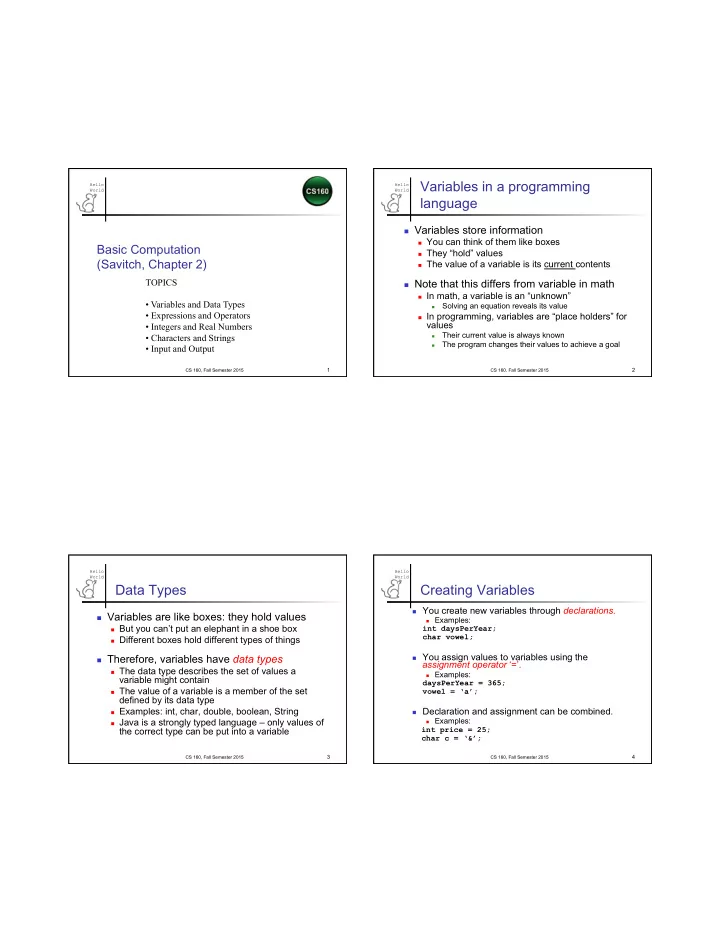
8/27/15 World Variables in a programming Hello Hello World language n Variables store information n You can think of them like boxes Basic Computation n They hold values (Savitch, Chapter 2) n The value of a variable is its


slide-1
SLIDE 1

8/27/15 1

Hello World

Basic Computation (Savitch, Chapter 2)

TOPICS

  • Variables and Data Types
  • Expressions and Operators
  • Integers and Real Numbers
  • Characters and Strings
  • Input and Output

CS 160, Fall Semester 2015

1

Hello World Variables in a programming

language

n Variables store information

n You can think of them like boxes n They “hold” values n The value of a variable is its current contents

n Note that this differs from variable in math

n In math, a variable is an “unknown”

n

Solving an equation reveals its value

n In programming, variables are “place holders” for

values

n

Their current value is always known

n

The program changes their values to achieve a goal

CS 160, Fall Semester 2015

2

Hello World

Data Types

n Variables are like boxes: they hold values

n But you can’t put an elephant in a shoe box n Different boxes hold different types of things

n Therefore, variables have data types

n The data type describes the set of values a

variable might contain

n The value of a variable is a member of the set

defined by its data type

n Examples: int, char, double, boolean, String n Java is a strongly typed language – only values of

the correct type can be put into a variable

CS 160, Fall Semester 2015

3

Hello World

Creating Variables

n You create new variables through declarations.

n Examples:

int daysPerYear; char vowel;

n You assign values to variables using the

assignment operator ‘=’.

n Examples:

daysPerYear = 365; vowel = ‘a’;

n Declaration and assignment can be combined.

n Examples:

int price = 25; char c = ‘&’;

CS 160, Fall Semester 2015

4

slide-2
SLIDE 2

8/27/15 2

Hello World

More about Variables

n An uninitialized variable is useless

n So it’s good practice to initialize when declaring

variables

n can be done with one statement:

int daysPerYear = 365;

n Variables can be re-used:

int daysPerYear = 365; // random code here daysPerYear = 110;

CS 160, Fall Semester 2015

5

Hello World

Literals

§ Literals are values that are directly recognized by Java:

§ numbers

237, 10, 9, 1.5, 5.8, 99.999

§ characters

‘a’, ‘Z’, ‘0’, ‘$’

§ strings

“hello”, “there”

CS 160, Fall Semester 2015

6

Hello World

Java Identifiers

§ An identifier is a name, such as the name of a variable. § Identifiers may contain only

§ Letters § Digits (0 through 9) § The underscore character (_) § And the dollar sign symbol ($) which has a special meaning

§ The first character cannot be a digit.

CS 160, Fall Semester 2015

7

Hello World

Java Identifiers

§ Identifiers may not contain any spaces, dots (.), asterisks (*), or other characters:

7-11 netscape.com util.* // not allowed!

§ Identifiers can be arbitrarily long. § Since Java is case sensitive, stuff,

Stuff, and STUFF are different identifiers.

CS 160, Fall Semester 2015

8

slide-3
SLIDE 3

8/27/15 3

Hello World

Keywords or Reserved Words

§ Words such as if are called keywords

  • r reserved words and have special,

predefined meanings.

§ Cannot be used as identifiers. § See Appendix 1 for a complete list of Java keywords.

§ Examples: int, public, class

CS 160, Fall Semester 2015

9

Hello World

Naming Conventions

§ Class types begin with an uppercase letter (e.g. String). § Primitive types begin with a lowercase letter (e.g. int). § Variables of both class and primitive types begin with a lowercase letters (e.g. myName, myBalance). § Multiword names are "punctuated" using uppercase letters.

CS 160, Fall Semester 2015

10

Hello World

Where to Declare Variables

§ Declare a variable

§ Just before it is used or § At the beginning of the section of your program that is enclosed in {}: public static void main(String[] args)

{ /* declare variables here */ . . . /* code starts here */ . . . }

CS 160, Fall Semester 2015

11

Hello World

Java Types

n In Java, there are two kinds of data types:

n Primitive data types

n

Hold a single, indivisible piece of data

n

Pre-defined by the language

n

Examples: int, char, double, boolean

n Classes

n

Hold complex combinations of data

n

Programs may define new classes

n

Examples: String, System

Let’s start with these

CS 160, Fall Semester 2015

12

slide-4
SLIDE 4

8/27/15 4

Hello World

Primitive Types

§ Integer types: byte, short, int, and long

§ int is most common

§ Floating-point types: float and double

§ double is more common

§ Character type: char § Boolean type: boolean

CS 160, Fall Semester 2015

13

Hello World

Primitive Data Types

n The 4 most common primitive data types

Data Type

Description Example

n int

  • integer values

5

n double

  • floating-point values

3.14

n char

  • characters

‘J’

n boolean

  • either true or false

true

Notice – there are no quotes around true!

CS 160, Fall Semester 2015

14

Hello World

Primitive Types

CS 160, Fall Semester 2015

15

Hello World

Assignment Statements

§ An assignment statement is used to assign a value to a variable. answer = 42; § The "equal sign" is called the assignment

  • perator.

§ We say, "The variable named answer is assigned a value of 42," or more simply, "answer is assigned 42.” § General rule: Var = expression;

CS 160, Fall Semester 2015

16

slide-5
SLIDE 5

8/27/15 5

Hello World

Building expressions: operators

n Operators can act on numbers and

primitive data types

n ‘+’ adds two numbers n ‘*’ multiplies two numbers n ‘-’ subtracts two numbers n ‘/’ divides two numbers n ‘==‘ tests for equality and returns a Boolean

n Operators can also act on other

expressions – build arbitrarily complicated expressions (just like math)

CS 160, Fall Semester 2015

17

Hello World

Expressions

n A program is a sequence of statements

n Well, it also needs a header n But the program body lists statements

n Simplest statement is an assignment n A simple expression looks like:

var1 op var2;

n Where ‘var1’ and ‘var2’ are variables n ‘op’ is any operator (e.g. +, -, *)

CS 160, Fall Semester 2015

18

Hello World

Variations on Expressions

n

Variables can be re-used across and even within expressions: int x = 7; x = x + 1; x = x + x;

n

Right hand side is evaluated

n

… and the result is assigned to the lhs variable

CS 160, Fall Semester 2015

19

Hello World

More variations on expressions

n The right hand side of an assignment

can be any mathematical expression: int y = x + (2 * z);

n When more than one operator appears

n Parenthesis disambiguate

n See above

n Without parenthesis, operator precedence

rules apply

n e.g., multiply before add, left before right n Better to rely on parentheses CS 160, Fall Semester 2015

20

slide-6
SLIDE 6

8/27/15 6

Hello World

Integers

n Numbers without fractional parts

3, 47, -12

n Variables store integers with an

assignment statement

int size = 7;

n Integer variables may be used like integer

literals (i.e., number), e.g., size = size + 1;

CS 160, Fall Semester 2015

21

Hello World

Integer Arithmetic Operations

Symbol Operation Example Evaluates to + Addition 45 + 5 50

  • Subtraction

657 – 57 600 * Multiplication 7000 * 3 21000 / Division 13 / 7 1 % Remainder 13 % 7 6

CS 160, Fall Semester 2015

22

Hello World

Remainder reminder: % and /

n For any pair of integers, x and y, there

always exist two unique integers, q and r, such that

n q is called the quotient, r is the remainder

when x is divided by y

n The operators, % and / compute them:

r = x % y and q = x / y

n Java isn’t mathematically correct for

negative numbers

x = qy + r and 0 ≤ r < y

CS 160, Fall Semester 2015

23

Hello World

Integer Math

int i = 10/3;

n What’s i = ?

int j = 10 % 3;

n What’s j = ?

int k = 13 % 5 / 2;

n What’s k = ?

3 1 1

CS 160, Fall Semester 2015

24

slide-7
SLIDE 7

8/27/15 7

Hello World

Additional Integer Operators

n Self-assignment

int temperature = 32; temperature = temperature + 10; What is temperature?

n Increment

cent++; equivalent to cent = cent + 1;

n Decrement

cent--; equivalent to cent = cent – 1; 42

CS 160, Fall Semester 2015

25

Hello World

Specialized Assignment Operators

§ Assignment operators can be combined with arithmetic operators including -, *, /, %. amount = amount + 5;

can be written as amount += 5;

yielding the same results.

CS 160, Fall Semester 2015

26

Hello World

Parentheses and Precedence

§ Parentheses can communicate the order in which arithmetic operations are performed § examples: (cost + tax) * discount cost + (tax * discount) § Without parentheses, an expressions is evaluated according to the rules of precedence.

CS 160, Fall Semester 2015

27

Hello World

Precedence Rules

§ Figure 2.2 Precedence Rules

CS 160, Fall Semester 2015

28

slide-8
SLIDE 8

8/27/15 8

Hello World

Precedence Rules

§ The binary arithmetic operators *, /, and %, have lower precedence than the unary

  • perators +, -, ++, --, and !, but have

higher precedence than the binary arithmetic

  • perators + and -.

§ When binary operators have equal precedence, the operator on the left acts before the operator(s) on the right.

CS 160, Fall Semester 2015

29

Hello World

Sample Expressions

CS 160, Fall Semester 2015

30

Hello World

Real Numbers

n Also called floating-point numbers n Numbers with fractional parts

3.14159, 7.12, 9.0, 0.5e001, -16.3e+002

n Declared using the data type double

double pricePerPound = 3.99, taxRate = 0.05, shippingCost = 5.55; double pctProfit = 12.997;

CS 160, Fall Semester 2015

31

Hello World

double Arithmetic Operations

Symbol Operation Example + Addition 45.0 + 5.30

  • Subtraction

657.0 – 5.7 * Multiplication 70.0 * 3.0 / Division 96.0 / 2.0

CS 160, Fall Semester 2015

32

slide-9
SLIDE 9

8/27/15 9

Hello World

Numbers in Java

n int is of fixed size;

a value that is too large to be stored in an int variable will not match the mathematical value.

n Example:

int x = 100000 * 100000;

  • ut.println( x );

Will print: 1410065408 Numerical overflow! No warning messages!

CS 160, Fall Semester 2015

33

Hello World

Numbers in Java

n It is not always possible to test double expressions

for equality and obtain a correct result because of rounding errors (called “floating point error”).

Should be zero! public class ProblemDoublePrecision { public static void main( String[ ] args ) { double val = 1.0/5.0+1.0/5.0+1.0/5.0-0.6; System.out.println( val ); } }

CS 160, Fall Semester 2015

34

Hello World

Numbers in Java

n How should you handle “floating point error”?

n Test to see if the value is within a margin of error

Tolerance up to 0.00001 public class CheckDoubleEquality { public static void main( String[ ] args ) { double val = 1.0/5.0+1.0/5.0+1.0/5.0-0.6; if ( Math.abs(val) < 0.00001 ) val = 0; System.out.println( val ); } }

CS 160, Fall Semester 2015

35

Hello World

Assignment Compatibilities

§ Java is strongly typed.

§ You can't, for example, assign a floating point value to a variable declared to store an integer.

§ But for convenience, some conversions between numbers are possible … doubleVariable = 7; § … is possible even if doubleVariable is of type double, for example.

CS 160, Fall Semester 2015

36

slide-10
SLIDE 10

8/27/15 10

Hello World

Assignment Compatibilities

§ A value of each following type can be assigned to a variable of type to the right: byte à short à int à long à float à double

§ but not to a variable of any type to the left.

§ You can assign a value of type char to a variable of type int. § … except through type casting

CS 160, Fall Semester 2015

37

Hello World

Type Casting

§ A type cast changes the value of a variable from the declared type to some

  • ther type.

§ For example,

double distance; distance = 9.0; int points; points = (int)distance;

§ Illegal without (int)

CS 160, Fall Semester 2015

38

Hello World

Type Casting

§ The value of (int)distance is 9, § The value of distance, both before and after the cast, is 9.0. § The fractional part (to the right of the decimal point) is truncated rather than rounded.

CS 160, Fall Semester 2015

39

Hello World

Mixing Numeric Data Types

n Widening conversion Java will automatically convert

int expressions to double values without loss of information

n int i = 5;

double x = i + 10.5;

n double y = i; n Narrowing conversion To convert double

expressions to int requires a typecasting operation and truncation will occur i = (int) (10.3 * 2);

n To round-up instead of truncating add 0.5

i = (int) (10.3 * x + 0.5);

Arithmetic promotion of i to largest data type double assignment promotion of i i = 20 : the .6 is truncated

CS 160, Fall Semester 2015

40

slide-11
SLIDE 11

8/27/15 11

Hello World

Characters

n Any key you type on the keyboard generates

a character which may or may not be displayed on the screen (e.g., nonprinting characters)

n Characters are a primitive type in Java and

are not equivalent to Strings

n Examples

char vitamin = ’A’, chromosome = ’y’, middleInitial = ’N’;

CS 160, Fall Semester 2015

41

Hello World

Important Literal Characters

’A’, … ,’Z’ Uppercase letters ’a’, … ,’z’ Lowercase letters ’0’, … , ’9’ Digits ’.’, ’,’, ’!’,’”’,etc. Punctuation Marks ’ ’ Blank ’\n’ New line ’\t’ Tab ’\\’ Backslash ’\’’ Single Right Quote

CS 160, Fall Semester 2015

42

Hello World

The other meta-type: Classes

n A primitive data type is indivisible

n They have no meaningful subparts n The primitives are defined by the language

n

int, char, double, etc.

n A class is a data type that contains many bits

  • f information

n For example, Strings (many primitive chars) n Many classes defined by the language

n

You can also define new ones…

CS 160, Fall Semester 2015

43

Hello World

Classes

n Classes have data and methods

n The data may be primitives or collections

  • f primitives, other even classes.

n Methods are used instead of operators

n The period (‘.’) accesses methods of a

class: String greeting = “hello”; char c = greeting.charAt(0); // c now equals ‘h’

CS 160, Fall Semester 2015

44

slide-12
SLIDE 12

8/27/15 12

Hello World

More about Strings

n String is defined in the java.lang

package

n The java.lang package is automatically

included in all programs, so you do not need to import it.

n String literals are defined in double-quotes; n Examples:

String t1 = “To be ”; String t2 = “or not to be”; System.out.println(t1.concat(t2)); // prints To be or not to be

CS 160, Fall Semester 2015

45

Hello World

String Methods

Name Description int length() Returns the length of this string int indexOf(String s) Returns the index within the string of the first

  • ccurrence of the string s.

String substring (int beginx, int endx) Returns the substring beginning at index beginx and ending at index endx-1 String toUpperCase() Converts all characters of the string to uppercase String concat(String s) Concatenates the string s to the end of the

  • riginal string

char charAt(int index) Returns the character at the index, which must be between 0 and length of string - 1

CS 160, Fall Semester 2015

46

Hello World

Syntax: primitives vs classes

n Operators act on primitive variables

n Examples: +. -, *, % n Standard math in-fix notation

n

x + y;

n

y / 7;

n Methods act on class variables

n Example: length() n Notation: class.method(arguments)

n

String s1 = “foo”;

n

int x = s1.length();

CS 160, Fall Semester 2015

47

Hello World

String Method Examples

CS 160, Fall Semester 2015

48

slide-13
SLIDE 13

8/27/15 13

Hello World

Object Examples

n Scanner instance is an object (not primitive) n Methods for the Scanner class include

n nextInt

ß returns next sequence as integer

n nextDouble

ß returns next sequence as double

n next

ß returns next sequence of chars

n read until the next whitespace (spaces, tabs, end of line)

n nextLine

ß returns next line up until enter key

n reads CS 160, Fall Semester 2015

49

Hello World

Input/Output (I/O)

Q: Without a graphical user interface (GUI), how does a program communicate with user? A: Must use the console for output, keyboard for input. § Console Output § Keyboard Input

CS 160, Fall Semester 2015

50

Hello World

Console

§ We've seen several examples of console

  • utput already.

§ System.out is the output object in Java. § Question: Is there a System.in for input? § println() is one of the methods available to the System.out object. § print() is another method, which is identical to println() without line termination.

CS 160, Fall Semester 2015

51

Hello World

Screen Output

§ The concatenation operator (+) is useful when everything does not fit on one line.

System.out.println( "Lucky number = " + 13 + "Secret number = " + number);

§ Beware of dual use of + for addition and concatenation:

System.out.println(“5+3=“ + 5 + 3);

CS 160, Fall Semester 2015

52

slide-14
SLIDE 14

8/27/15 14

Hello World

Keyboard Input

§ Java has reasonable facilities for handling keyboard input. § These facilities are provided by the Scanner class in the java.util package.

§ A package is a library of classes.

CS 160, Fall Semester 2015

53

Hello World

Using the Scanner Class

§ Near the beginning of your program, insert import java.util.Scanner; § Create an object of the Scanner class Scanner keyboard = new Scanner (System.in) § Read data (an int or a double, for example) int n1 = keyboard.nextInt(); double d1 = keyboard.nextDouble();

CS 160, Fall Semester 2015

54

Hello World

More Scanner Class

System.in refers to the keyboard n From util package

import java.util.Scanner;

n Create a new instance:

Scanner in = new Scanner( System.in );

n Input (depends on data type reading in)

n String input = in.next( ); n String line = in.nextLine( ); n int intVal = in.nextInt( ); n double dblVal = in.nextDouble( ); CS 160, Fall Semester 2015 55 Hello World

Some Scanner Class Methods

CS 160, Fall Semester 2015

56

slide-15
SLIDE 15

8/27/15 15

Hello World

Reading Integers

import java.util.*; public class getInput { public static void main( String[ ] args ) { Scanner in; int intVal; in = new Scanner( System.in ); System.out.println("Enter an integer: "); intVal = in.nextInt( ); System.out.println( intVal ); } }

CS 160, Fall Semester 2015

57

Hello World

Reading Strings

import java.util.*; public class getStringInput { public static void main( String[ ] args ) { Scanner in; String name; in = new Scanner( System.in ); System.out.println("Enter your name: "); name = in.next( ); System.out.println( name ); } }

CS 160, Fall Semester 2015

58

Hello World

nextLine()Method Caution

§ The nextLine() method reads

§ The remainder of the current line, § Even if it is empty.

CS 160, Fall Semester 2015

59

Hello World

nextLine Method Caution

§ Example – given following declaration.

int n; String s1, s2; n = scan(); s1 = scan.nextLine(); s2 = scan.nextLine();

§ Assume input shown

§ n is set to 42 § but s1 is set to the empty string § and s2 is set to “next line”

42 next line another line

CS 160, Fall Semester 2015

60

slide-16
SLIDE 16

8/27/15 16

Hello World

Printing Integers

public class Forecast { public static void main (String args[]) { System.out.print("The temperature will be "); System.out.print(-10); System.out.print(" degrees…"); System.out.println(" and that’s cold,folks!"); } }

What happens if you use println each time?

CS 160, Fall Semester 2015

61

Hello World

Formatting Output with printf

§ Java has a method named printf() that applies a specific format to output. § The printf()method similar to the print()/println()methods. § System.out.printf can have any number

  • f arguments!

§ The first argument contains one or more format specifiers for the remaining arguments § All the arguments except the first are values to be output to the screen

CS 160, Fall Semester 2015

62

Hello World

printf Format Specifier

§ The following code

double price = 19.8; System.out.print("$"); System.out.printf("%6.2f", price); System.out.println(" each"); will output the line $ 19.80 each

§ The format specifier "%6.2f" is interpreted as follows:

§ Display up to 6 right-justified characters (field width is 6) § Display exactly 2 digits after the decimal (precision is 2) § Display a floating point number (conversion character is f)

CS 160, Fall Semester 2015

63

Hello World

Multiple arguments with printf

§ The following code contains a printf statement having three arguments double price = 19.8;

String name = “apple”; System.out.printf("$%6.2f per %s.”, price, name); System.out.println(); System.out.println("Wow"); will output $ 19.80 per apple. Wow § Note that the first argument is a format string containing two format specifiers (%6.2f and %s) § These format specifiers match up with the two arguments that follow (price and name)

CS 160, Fall Semester 2015

64

slide-17
SLIDE 17

8/27/15 17

Hello World

Line Breaks with printf

§ Line breaks can be included in a format string using %n or \n § The code System.out.printf("Hello%nWorld\n!");

System.out.println("Wow");

will output

Hello World !Wow

CS 160, Fall Semester 2015

65

Hello World Format Specifiers for

System.out.printf

Ref

CS 160, Fall Semester 2015

66

Hello World

The printf Method (Part 1 of 3)

Ref

CS 160, Fall Semester 2015

67

Hello World

The printf Method (Part 2 of 3)

Ref

CS 160, Fall Semester 2015

68

slide-18
SLIDE 18

8/27/15 18

Hello World

The printf Method (Part 3 of 3)

Ref

CS 160, Fall Semester 2015

69

Hello World

Legacy Code

§ Code that is "old fashioned" but too expensive to replace is called legacy code § Sometimes legacy code is translated into a more modern language § The Java method printf is just like a C language function of the same name § This was done intentionally to make it easier to translate C code into Java

CS 160, Fall Semester 2015

70

Hello World

What could go wrong?

n

If you mis-type a variable name or a data type…

n

When you try to compile & run it in Eclipse

1.

Eclipse will tell you there was an error

2.

The editor will put a red ‘x’ at the left of the line with the error

n

This is an example of a compile-time error

CS 160, Fall Semester 2015

71

Hello World

What else could go wrong?

n You can specify an illegal operation

n E.g. try to divide a string by a string n Again, a compile-time error with a red ‘x’

n You can forget a ; or a }

n Same as above

CS 160, Fall Semester 2015

72

slide-19
SLIDE 19

8/27/15 19

Hello World

More Errors

n Capitalization errors

n Java is case sensitive, identifier names

must use the same capitalization rules each time

n Logic Errors

n Program appears to run correctly, but on

closer inspection the wrong output is displayed

CS 160, Fall Semester 2015

73

Hello World

Debugging Hints

n Let Eclipse help you!

n Gives suggestions on methods to use n Provides warning and error messages as

you type… even provides suggestions of how to fix the problem.

n Add debugging statements to check the

computation System.out.println(…);

CS 160, Fall Semester 2015

74