Computer Worms A program that copies itself from one computer to - - PowerPoint PPT Presentation

computer worms
SMART_READER_LITE
LIVE PREVIEW

Computer Worms A program that copies itself from one computer to - - PowerPoint PPT Presentation

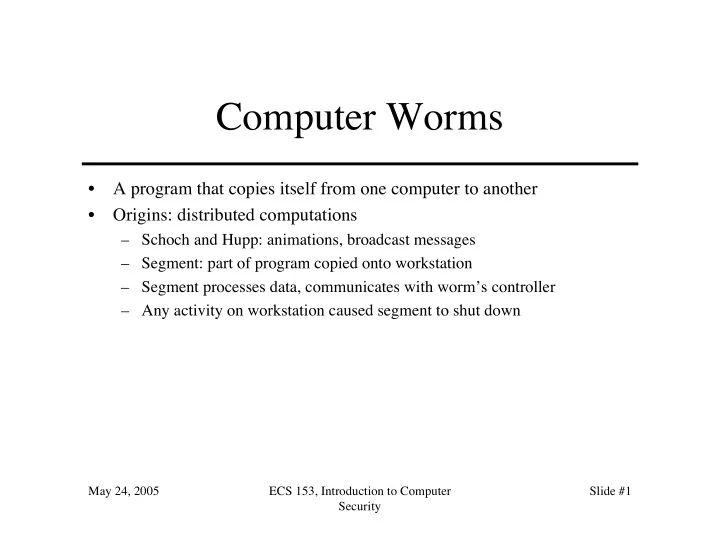
Computer Worms A program that copies itself from one computer to another Origins: distributed computations Schoch and Hupp: animations, broadcast messages Segment: part of program copied onto workstation Segment processes


slide-1
SLIDE 1

May 24, 2005 ECS 153, Introduction to Computer Security Slide #1

Computer Worms

  • A program that copies itself from one computer to another
  • Origins: distributed computations

– Schoch and Hupp: animations, broadcast messages – Segment: part of program copied onto workstation – Segment processes data, communicates with worm’s controller – Any activity on workstation caused segment to shut down

slide-2
SLIDE 2

May 24, 2005 ECS 153, Introduction to Computer Security Slide #2

Example: Internet Worm of 1988

  • Targeted Berkeley, Sun UNIX systems

– Used virus-like attack to inject instructions into running program and run them – To recover, had to disconnect system from Internet and reboot – To prevent re-infection, several critical programs had to be patched, recompiled, and reinstalled

  • Analysts had to disassemble it to uncover function
  • Disabled several thousand systems in 6 or so hours
slide-3
SLIDE 3

May 24, 2005 ECS 153, Introduction to Computer Security Slide #3

Example: Christmas Worm

  • Distributed in 1987, designed for IBM networks
  • Electronic letter instructing recipient to save it and run it

as a program

– Drew Christmas tree, printed “Merry Christmas!” – Also checked address book, list of previously received email and sent copies to each address

  • Shut down several IBM networks
  • Really, a macro worm

– Written in a command language that was interpreted

slide-4
SLIDE 4

May 24, 2005 ECS 153, Introduction to Computer Security Slide #4

Rabbits, Bacteria

  • A program that absorbs all of some class of resources
  • Example: for UNIX system, shell commands:

while true do mkdir x chdir x done

  • Exhausts either disk space or file allocation table (inode)

space

slide-5
SLIDE 5

May 24, 2005 ECS 153, Introduction to Computer Security Slide #5

Logic Bombs

  • A program that performs an action that violates the site security policy

when some external event occurs

  • Example: program that deletes company’s payroll records when one

particular record is deleted

– The “particular record” is usually that of the person writing the logic bomb – Idea is if (when) he or she is fired, and the payroll record deleted, the company loses all those records

slide-6
SLIDE 6

May 24, 2005 ECS 153, Introduction to Computer Security Slide #6

Defenses

  • Distinguish between data, instructions
  • Limit objects accessible to processes
  • Inhibit sharing
  • Detect altering of files
  • Detect actions beyond specifications
  • Analyze statistical characteristics
slide-7
SLIDE 7

May 24, 2005 ECS 153, Introduction to Computer Security Slide #7

Data vs. Instructions

  • Malicious logic is both

– Virus: written to program (data); then executes (instructions)

  • Approach: treat “data” and “instructions” as separate types, and

require certifying authority to approve conversion

– Keys are assumption that certifying authority will not make mistakes and assumption that tools, supporting infrastructure used in certifying process are not corrupt

slide-8
SLIDE 8

May 24, 2005 ECS 153, Introduction to Computer Security Slide #8

Example: LOCK

  • Logical Coprocessor Kernel

– Designed to be certified at TCSEC A1 level

  • Compiled programs are type “data”

– Sequence of specific, auditable events required to change type to “executable”

  • Cannot modify “executable” objects

– So viruses can’t insert themselves into programs (no infection phase)

slide-9
SLIDE 9

May 24, 2005 ECS 153, Introduction to Computer Security Slide #9

Example: Duff and UNIX

  • Observation: users with execute permission

usually have read permission, too

– So files with “execute” permission have type “executable”; those without it, type “data” – Executable files can be altered, but type immediately changed to “data”

  • Implemented by turning off execute permission
  • Certifier can change them back

– So virus can spread only if run as certifier

slide-10
SLIDE 10

May 24, 2005 ECS 153, Introduction to Computer Security Slide #10

Limiting Accessibility

  • Basis: a user (unknowingly) executes

malicious logic, which then executes with all that user’s privileges

– Limiting accessibility of objects should limit spread of malicious logic and effects of its actions

  • Approach draws on mechanisms for

confinement

slide-11
SLIDE 11

May 24, 2005 ECS 153, Introduction to Computer Security Slide #11

Information Flow Metrics

  • Idea: limit distance a virus can spread
  • Flow distance metric fd(x):

– Initially, all info x has fd(x) = 0 – Whenever info y is shared, fd(y) increases by 1 – Whenever y1, …, yn used as input to compute z, fd(z) = max(fd(y1), …, fd(yn))

  • Information x accessible if and only if for

some parameter V, fd(x) < V

slide-12
SLIDE 12

May 24, 2005 ECS 153, Introduction to Computer Security Slide #12

Example

  • Anne: VA = 3; Bill, Cathy: VB = VC = 2
  • Anne creates program P containing virus
  • Bill executes P

– P tries to write to Bill’s program Q

  • Works, as fd(P) = 0, so fd(Q) = 1 < VB
  • Cathy executes Q

– Q tries to write to Cathy’s program R

  • Fails, as fd(Q) = 1, so fd(R) would be 2
  • Problem: if Cathy executes P, R can be infected

– So, does not stop spread; slows it down greatly, though

slide-13
SLIDE 13

May 24, 2005 ECS 153, Introduction to Computer Security Slide #13

Implementation Issues

  • Metric associated with information, not objects

– You can tag files with metric, but how do you tag the information in them? – This inhibits sharing

  • To stop spread, make V = 0

– Disallows sharing – Also defeats purpose of multi-user systems, and is crippling in scientific and developmental environments

  • Sharing is critical here
slide-14
SLIDE 14

May 24, 2005 ECS 153, Introduction to Computer Security Slide #14

Reducing Protection Domain

  • Application of principle of least privilege
  • Basic idea: remove rights from process so

it can only perform its function

– Warning: if that function requires it to write, it can write anything – But you can make sure it writes only to those

  • bjects you expect
slide-15
SLIDE 15

May 24, 2005 ECS 153, Introduction to Computer Security Slide #15

Example: ACLs and C-Lists

  • s1 owns file f1 and s2 owns program p2 and file f3

– Suppose s1 can read, write f1, execute p2, write f3 – Suppose s2 can read, write, execute p2 and read f3

  • s1 needs to run p2

– p2 contains Trojan horse

  • So s1 needs to ensure p12 (subject created when s1 runs p2) can’t write

to f3

– Ideally, p12 has capability { (s1, p2, x ) } so no problem

  • In practice, p12 inherits s1’s rights—bad! Note s1 does not own f3, so

can’t change its rights over f3

  • Solution: restrict access by others
slide-16
SLIDE 16

May 24, 2005 ECS 153, Introduction to Computer Security Slide #16

Authorization Denial Subset

  • Defined for each user si
  • Contains ACL entries that others cannot

exercise over objects si owns

  • In example: R(s2) = { (s1, f3, w) }

– So when p12 tries to write to f3, as p12 owned by s1 and f3 owned by s2, system denies access

  • Problem: how do you decide what should

be in your authorization denial subset?

slide-17
SLIDE 17

May 24, 2005 ECS 153, Introduction to Computer Security Slide #17

Karger’s Scheme

  • Base it on attribute of subject, object
  • Interpose a knowledge-based subsystem to determine if

requested file access reasonable

– Sits between kernel and application

  • Example: UNIX C compiler

– Reads from files with names ending in “.c”, “.h” – Writes to files with names beginning with “/tmp/ctm” and assembly files with names ending in “.s”

  • When subsystem invoked, if C compiler tries to write to

“.c” file, request rejected

slide-18
SLIDE 18

May 24, 2005 ECS 153, Introduction to Computer Security Slide #18

Lai and Gray

  • Implemented modified version of Karger’s scheme on

UNIX system

– Allow programs to access (read or write) files named on command line – Prevent access to other files

  • Two types of processes

– Trusted (no access checks or restrictions) – Untrusted (valid access list controls access)

  • VAL initialized to command line arguments plus any temporary files

that the process creates

slide-19
SLIDE 19

May 24, 2005 ECS 153, Introduction to Computer Security Slide #19

File Access Requests

1. If file on VAL, use effective UID/GID of process to determine if access allowed 2. If access requested is read and file is world-readable, allow access 3. If process creating file, effective UID/GID controls allowing creation

– Enter file into VAL as NNA (new non-argument); set permissions so no other process can read file

4. Ask user. If yes, effective UID/GID controls allowing access; if no, deny access

slide-20
SLIDE 20

May 24, 2005 ECS 153, Introduction to Computer Security Slide #20

Example

  • Assembler invoked from compiler

as x.s /tmp/ctm2345

and creates temp file /tmp/as1111

– VAL is

x.s /tmp/ctm2345 /tmp/as1111

  • Now Trojan horse tries to copy x.s to another file

– On creation, file inaccessible to all except creating user so attacker cannot read it (rule 3) – If file created already and assembler tries to write to it, user is asked (rule 4), thereby revealing Trojan horse

slide-21
SLIDE 21

May 24, 2005 ECS 153, Introduction to Computer Security Slide #21

Trusted Programs

  • No VALs applied here

– UNIX command interpreters

  • csh, sh

– Program that spawn them

  • getty, login

– Programs that access file system recursively

  • ar, chgrp, chown, diff, du, dump, find, ls, restore, tar

– Programs that often access files not in argument list

  • binmail, cpp, dbx, mail, make, script, vi

– Various network daemons

  • fingerd, ftpd, sendmail, talkd, telnetd, tftpd
slide-22
SLIDE 22

May 24, 2005 ECS 153, Introduction to Computer Security Slide #22

Guardians, Watchdogs

  • System intercepts request to open file
  • Program invoked to determine if access is

to be allowed

– These are guardians or watchdogs

  • Effectively redefines system (or library)

calls

slide-23
SLIDE 23

May 24, 2005 ECS 153, Introduction to Computer Security Slide #23

Trust

  • Trust the user to take explicit actions to limit their

process’ protection domain sufficiently

– That is, enforce least privilege correctly

  • Trust mechanisms to describe programs’ expected actions

sufficiently for descriptions to be applied, and to handle commands without such descriptions properly

  • Trust specific programs and kernel

– Problem: these are usually the first programs malicious logic attack

slide-24
SLIDE 24

May 24, 2005 ECS 153, Introduction to Computer Security Slide #24

Sandboxing

  • Sandboxes, virtual machines also restrict

rights

– Modify program by inserting instructions to cause traps when violation of policy – Replace dynamic load libraries with instrumented routines

slide-25
SLIDE 25

May 24, 2005 ECS 153, Introduction to Computer Security Slide #25

Example: Race Conditions

  • Occur when successive system calls operate on object

– Both calls identify object by name – Rebind name to different object between calls

  • Sandbox: instrument calls:

– Unique identifier (inode) saved on first call – On second call, inode of named file compared to that of first call

  • If they differ, potential attack underway …
slide-26
SLIDE 26

May 24, 2005 ECS 153, Introduction to Computer Security Slide #26

Inhibit Sharing

  • Use separation implicit in integrity policies
  • Example: LOCK keeps single copy of

shared procedure in memory

– Master directory associates unique owner with each procedure, and with each user a list of

  • ther users the first trusts

– Before executing any procedure, system checks that user executing procedure trusts procedure owner

slide-27
SLIDE 27

May 24, 2005 ECS 153, Introduction to Computer Security Slide #27

Multilevel Policies

  • Put programs at the lowest security level,

all subjects at higher levels

– By *-property, nothing can write to those programs – By ss-property, anything can read (and execute) those programs

  • Example: DG/UX system

– All executables in “virus protection region” below user and administrative regions

slide-28
SLIDE 28

May 24, 2005 ECS 153, Introduction to Computer Security Slide #28

Detect Alteration of Files

  • Compute manipulation detection code (MDC) to generate

signature block for each file, and save it

  • Later, recompute MDC and compare to stored MDC

– If different, file has changed

  • Example: tripwire

– Signature consists of file attributes, cryptographic checksums chosen from among MD4, MD5, HAVAL, SHS, CRC-16, CRC- 32, etc.)

slide-29
SLIDE 29

May 24, 2005 ECS 153, Introduction to Computer Security Slide #29

Assumptions

  • Files do not contain malicious logic when original

signature block generated

  • Pozzo & Grey: implement Biba’s model on

LOCUS to make assumption explicit

– Credibility ratings assign trustworthiness numbers from 0 (untrusted) to n (signed, fully trusted) – Subjects have risk levels

  • Subjects can execute programs with credibility ratings ≥ risk

level

  • If credibility rating < risk level, must use special command to

run program

slide-30
SLIDE 30

May 24, 2005 ECS 153, Introduction to Computer Security Slide #30

Antivirus Programs

  • Look for specific sequences of bytes (called

“virus signature” in file

– If found, warn user and/or disinfect file

  • Each agent must look for known set of

viruses

  • Cannot deal with viruses not yet analyzed

– Due in part to undecidability of whether a generic program is a virus

slide-31
SLIDE 31

May 24, 2005 ECS 153, Introduction to Computer Security Slide #31

Detect Actions Beyond Spec

  • Treat execution, infection as errors and

apply fault tolerant techniques

  • Example: break program into sequences of

nonbranching instructions

– Checksum each sequence, encrypt result – When run, processor recomputes checksum, and at each branch co-processor compares computed checksum with stored one

  • If different, error occurred
slide-32
SLIDE 32

May 24, 2005 ECS 153, Introduction to Computer Security Slide #32

N-Version Programming

  • Implement several different versions of algorithm
  • Run them concurrently

– Check intermediate results periodically – If disagreement, majority wins

  • Assumptions

– Majority of programs not infected – Underlying operating system secure – Different algorithms with enough equal intermediate results may be infeasible

  • Especially for malicious logic, where you would check file accesses
slide-33
SLIDE 33

May 24, 2005 ECS 153, Introduction to Computer Security Slide #33

Proof-Carrying Code

  • Code consumer (user) specifies safety requirement
  • Code producer (author) generates proof code meets this

requirement

– Proof integrated with executable code – Changing the code invalidates proof

  • Binary (code + proof) delivered to consumer
  • Consumer validates proof
  • Example statistics on Berkeley Packet Filter: proofs

300–900 bytes, validated in 0.3 –1.3 ms

– Startup cost higher, runtime cost considerably shorter

slide-34
SLIDE 34

May 24, 2005 ECS 153, Introduction to Computer Security Slide #34

Detecting Statistical Changes

  • Example: application had 3 programmers working on it,

but statistical analysis shows code from a fourth person—may be from a Trojan horse or virus!

  • Other attributes: more conditionals than in original; look

for identical sequences of bytes not common to any library routine; increases in file size, frequency of writing to executables, etc.

– Denning: use intrusion detection system to detect these

slide-35
SLIDE 35

May 24, 2005 ECS 153, Introduction to Computer Security Slide #35

Key Points

  • A perplexing problem

– How do you tell what the user asked for is not what the user intended?

  • Strong typing leads to separating data,

instructions

  • File scanners most popular anti-virus agents

– Must be updated as new viruses come out