Scheduling Scheduling Scheduling levels Decision to switch the - - PowerPoint PPT Presentation

scheduling scheduling
SMART_READER_LITE
LIVE PREVIEW

Scheduling Scheduling Scheduling levels Decision to switch the - - PowerPoint PPT Presentation

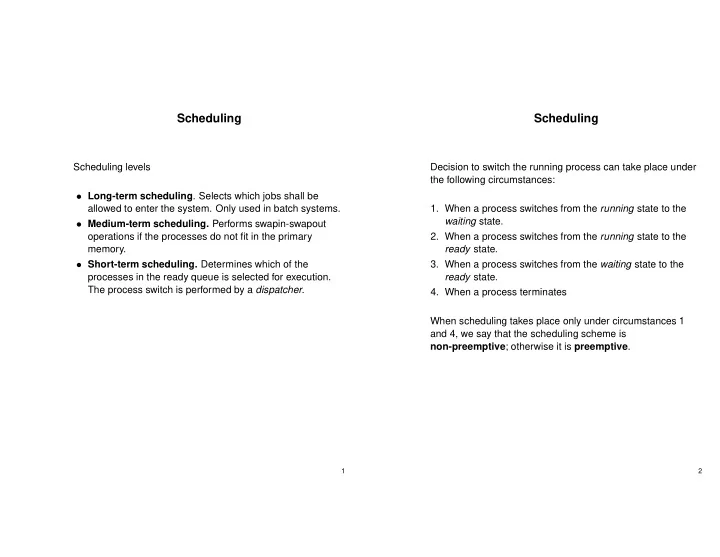
Scheduling Scheduling Scheduling levels Decision to switch the running process can take place under the following circumstances: Long-term scheduling . Selects which jobs shall be 1. When a process switches from the running state to the


slide-1
SLIDE 1

Scheduling

Scheduling levels

  • Long-term scheduling. Selects which jobs shall be

allowed to enter the system. Only used in batch systems.

  • Medium-term scheduling. Performs swapin-swapout
  • perations if the processes do not fit in the primary

memory.

  • Short-term scheduling. Determines which of the

processes in the ready queue is selected for execution. The process switch is performed by a dispatcher.

1

Scheduling

Decision to switch the running process can take place under the following circumstances:

  • 1. When a process switches from the running state to the

waiting state.

  • 2. When a process switches from the running state to the

ready state.

  • 3. When a process switches from the waiting state to the

ready state.

  • 4. When a process terminates

When scheduling takes place only under circumstances 1 and 4, we say that the scheduling scheme is non-preemptive; otherwise it is preemptive.

2

slide-2
SLIDE 2

Scheduling

Possible goals for a scheduling algorithm.

  • Be fair.
  • Maximize throughput.
  • Be predictable.
  • Give short response time to interactive processes.
  • Avoid starvation.
  • Enforce priorities.
  • Degrade gracefully under heavy load.

Several of the goals are in conflict with each other.

3

Scheduling

Criteria for comparing scheduling algorithms.

  • CPU utilization. We want to keep the CPU as busy as

possible.

  • Throughput. The number of processes completed per

time unit.

  • Turnaround time. Measured from the first time a job

enters the system until it is completed. Should be as short as possible. Primarily used for batch systems.

  • Waiting time. The sum of a the time periods a process

spends in the ready queue.

  • Response time. The time from an event occurs to the

first reaction from the system. For example the time from a button is pressed until the character is echoed at the display.

4

slide-3
SLIDE 3

FCFS - First Come First Served

Run the processes in the order they arrives to the ready queue. Non-preemptive scheduling Example: Process Burst time P1 24 P2 3 P3 3

3 6 30 P1 P2 P3 Gantt diagram: 27 30 24 P1 P2 P3 Gantt diagram: Average waiting time: (0+24+27)/3=17 Average waiting time: (6+3+0)/3=3 Different arrival sequence: P3, P2, P1

5

SJF - Shortest Job First

  • The process with the shortest estimated time to

completion is run first.

  • Optimal in the sense that it gives the minimum average

waiting time for a given set of processes.

  • The real problem with SJF is how to know the execution

time for the processes.

  • In batch systems it is possible to demand users to specify

the run time.

  • The original version of SJF is non-preemptive.
  • A preemptive version of SJF is called

Shortest-Remaining-Time-First (SRTF).

  • With SRTF the length of the next CPU burst is associated

with each process. The process with the shortest next CPU burst is scheduled first.

  • The length of the CPU bursts cannot be known, but may

be predicted as an exponential average of measured lengths of previous CPU bursts.

  • The method may give raise to starvation.

6

slide-4
SLIDE 4

Priority scheduling

A priority number (integer) is associated with each process. The CPU is allocated to the process with the highest priority. Two methods:

  • Static priorities. Each process is assigned a fixed priority

that is never changed. May create starvation for low priority processes.

  • Dynamic priorities. Priorities are dynamically

recalculated by the system. Usually a process that have been waiting have it’s priority increased. This is called aging.

7

Round Robin Scheduling

Circular queue of runnable processes.

  • Every process may execute until it:

→ Terminates → Becomes waiting due to a blocking operation. → Is interrupted by a clock interrupt.

  • Then the execution continues with the next process in the

queue.

  • All processes have the same priority.

Every time a process is started it may execute no more than

  • ne time quantum.
  • How long should a time quantum be?
  • With n processes in the ready queue and quantum size q,

the maximum response time will be (n-1)q.

  • For very big q, the method degenerates to FCFS.
  • If the time quantum is the same as the time to switch

processes, all the CPU time will be used for process switching.

  • A rule of thumb is that 80 percent of the CPU bursts

should be shorter than the time quantum.

8

slide-5
SLIDE 5

Multilevel Feedback Queues

  • Several scheduling queues with different priority are used.
  • Then a new process arrives, it is placed the in the highest

prioritized queue.

  • If the process becomes waiting within one time quanta, it

stays in same queue otherwise it is moved down one level.

  • A process that does not use the whole of it’s time quanta,

may be moved up one level.

  • Lower priority queues have longer time quanta than the

higher priority queues, but processes in these queues

  • nly execute if the higher priority queues are empty.
  • The lowest prioritized queue is driven according to

round-robin.

9

Multiprocessor/Multicore Hardware

  • Several CPU chips shares memory using an external bus

→ In most cases each CPU has a private high speed cache

  • Multicore processors have several CPUs at the same chip

→ Each processor has private high speed L1 cache → Typically onchip shared L2 cache → Main memory on external bus

  • Multithreaded cores

→ A physical CPU core may have two logical cores → Intel calls this hyperthreading. In this case the L1 cache is shared among the logical cores

10

slide-6
SLIDE 6

Multiprocessor Scheduling

  • Asymmetric multiprocessing (Master slave architecture)

→ Master runs operating system. Slaves run user mode code → Disadvantages: ✯ Master can become a performance bottleneck ✯ Failure of master brings down entire system

  • Symmetric multiprocessing (SMP)

→ Operating system can execute on any processor → Each processor does self-scheduling

11

Processor Affinity

Recall:

  • Processors share main memory
  • But have local cache memories
  • Recently accessed data populate the caches in order to

speed up memory accesses Processor affinity:

  • Most SMP systems try to keep a process running on the

same processor

  • Quicker to start process on same processor as last time

since the cache may already contain needed data Hard affinity: Some systems -such as Linux- have a system call to specify that a process shall execute on a specific processor

12

slide-7
SLIDE 7

Assignment of Processes to Processors

Per-processor ready queues:

  • Each processor has its own ready queue

→ Processor affinity kept ✯ A processor could be idle while another processor has a backlog ✯ Explicit load-balancing needed Global ready queue:

  • All processors share a global ready-queue

→ Ready-queue can become a bottleneck ✯ Task migration not cheap (difficult to enforce processor affinity) ✯ Automatic load-balancing

13

Load balancing

On SMP systems the load should preferably be divided equally between the processors. Two methods: push migration A surveillance task periodically checks the load on each processor and moves processes from processors with high load to processors with low load if needed. Pull migration A processor with empty run queue, tries to fetch a process from another processor.

14

slide-8
SLIDE 8

Linux Scheduler

With Linux kernel version 2.6 a new O(1) scheduler with improved SMP support was introduced. The ULE scheduler for FreeBSD is built on the same principles as the Linux O(1) scheduler. Goals:

  • Adapted for SMP (Symmetric Multi Processing)
  • Give O(1) scheduling. This means that the scheduling

time is independent of the number of processes in the system.

  • Processor affinity on SMP

.

  • Tries to give interactive processes high priority.
  • Load balancing on SMP

.

15

Linux - Implementation1

  • The scheduler uses 140 priority levels. Levels 0-99 are

real time priorities and levels 100-140 normal priorities.

  • Each processor is independently scheduled and has it’s
  • wn run queue. Each run queue has two arrays, active

and expired, that points to the scheduling lists for each of the 140 priorities.

  • There exists no further priority subdivision within the

scheduling lists. All processes on same priority level in the active array are executed in round robin order.

  • A process is allocated a certain queue until it blocks or it’s

time quantum runs out. Then the time quantum runs out, the process is moved to the expired array with a recalculated priority.

  • Real time processes are allocated a static priority that

cannot be changed.

  • Normal processes are allocated priority based on nice

value and the degree of interactivity.

  • Processes with high priority are allocated longer time

quanta than lower prioritized processes.

  • Processes are scheduled in priority order from the active

array until it becomes empty, then the expired and the active arrays change place.

16

slide-9
SLIDE 9

Linux - Implementation 2

  • A process’ interactivity is based on how much time it

spends in sleep state compared to running state.

  • Every time a process is awaken, it’s sleep avg is

increased with the time it has been sleeping.

  • At every clock interrupt, the sleep avg for the running

process is decreased.

  • A process is more interactive if it has a high sleep avg.

17

Linux Load balancing

Linux uses both push migration and pull migration.

  • A load balancing task is executed with an interval of 200

ms.

  • If a processor has an empty run queue, processes are

fetched from another processor. Load balancing may be in conflict with processor affinity. In order not to disturb the caches to much, Linux avoids moving processes with large amounts of cached data.

18